

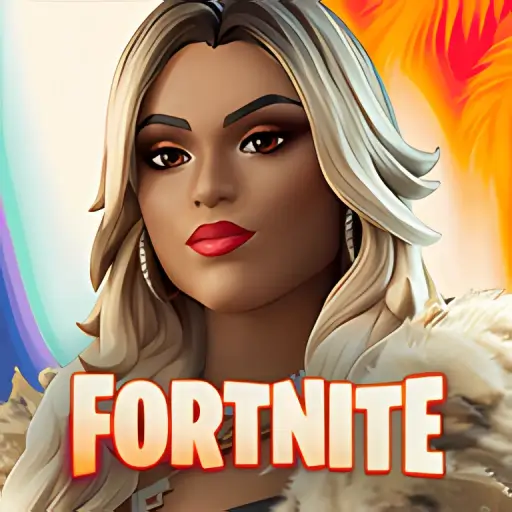
Fortnite Mobile 43.10.0-android
Epic Games
November 16, 2026
216.5 MB
43.10.0-android
Android 8.0+
RELATED APPS



DESCRIPTION
What Is Fortnite Mobile APK?
Fortnite Mobile brings one of the biggest multiplayer phenomena on consoles and PC straight to Android smartphones. One hundred players skydive from the Battle Bus onto a sprawling island that evolves every season, all fighting to be the last survivor standing.
Developed by Epic Games, the game blends third-person shooting with fast resource gathering and tactical building. Sharp aim alone is not enough—picking a smart drop spot, managing your weapon loadout, and rotating ahead of the storm are what separate early exits from Victory Royales. Another popular choice among Android users with similar tastes is download PUBG Mobile Beta.
Its vibrant art style and unpredictable pacing keep every match fresh. You can land in hot zones for instant firefights and top-tier loot, or drop somewhere quiet to gear up and stack shields before engaging.
Key Features of Fortnite Mobile
Beyond standard Battle Royale, Fortnite Mobile includes Creative mode, where you can explore thousands of community-made islands—from aim trainers and obstacle courses to party minigames and custom team deathmatches. Prefer pure gunplay without building? Zero Build mode strips away structures so positioning and natural cover decide every duel.
Cosmetic customization is another huge draw. Outfits, back bling, pickaxes, gliders, and emotes let you personalize your character without giving anyone an unfair advantage in combat.
Build and Destroy
Harvest wood, stone, and metal from trees, rocks, and buildings to throw up walls, ramps, and cover mid-fight. Nearly every structure on the map can also be torn down to flush out opponents hiding behind cover or healing after a skirmish.
Battle Royale
The flagship mode tests your reflexes and map awareness as the storm circle tightens, shifting combat from long-range sniper duels to frantic close-quarters shotgun battles with mobility items and heals.
Play with Friends
Squad up in Duos, Trios, or Squads with friends on PlayStation, Xbox, PC, or Switch thanks to full cross-play and cross-progression, backed by built-in voice chat and ping markers.
Frequent Updates & Live Events
Epic Games regularly rolls out balance patches, limited-time weapons, crossover collaborations, map changes, and massive live in-game events that bring millions of players online at once.
Frequently Asked Questions
Why Is Fortnite So Popular?
Its flexibility is a big reason. One night you can grind ranked matches, and the next you can hop into casual Creative maps with friends. Weekly quests and seasonal Battle Passes also reward both daily grinders and casual weekend players, while Android graphics sliders let you prioritize 3D resolution or smoother frame rates depending on your phone’s hardware.
Why Is Fortnite Not on the Google Play Store?
Epic Games removed the app from Google Play following a dispute over in-app purchase fees after introducing its own direct payment system. Because of that, Android players install and update the game directly via APK or the Epic Games Store app.
Can You Play Fortnite on iPhone?
Availability on iOS depends on your region and local regulations regarding alternative app marketplaces, following Epic’s long-running dispute with Apple over App Store fees. In many regions, it remains unavailable on the standard App Store.
What Android Specs Are Recommended?
For smooth frame rates, aim for a 64-bit Android device running Android 8.0 or higher with at least 4 GB of RAM and a capable Adreno, Mali, or Xclipse GPU. Lowering 3D resolution slightly in the video settings helps keep temperatures cool during long sessions.
Can You Use a Controller on Android?
Yes, Fortnite Mobile supports popular Bluetooth gamepads like Xbox Wireless, PlayStation DualSense, and Backbone controllers, letting you aim and build with physical triggers instead of touch buttons.
Tips for Winning More Matches on Mobile
- Enable Auto-Fire or custom touch layouts: Experiment with two-thumb or four-finger claw HUD presets in Creative mode until building and weapon swaps feel effortless.
- Turn on Visualize Sound Effects: This accessibility setting displays footsteps, gunfire, and chest indicators around your crosshair—huge when playing without headphones.
- Carry mobility and shields: Always save at least one inventory slot for shield potions and one for a mobility item to rotate safely ahead of late-game storm circles.
- Land at named locations on the edge first: Dropping slightly away from the Battle Bus path gives you time to loot weapons and full shields before taking early fights.
- Practice edits and builds in Creative: Spending ten minutes on a warm-up island helps you build muscle memory on touchscreen controls before jumping into ranked matches.
How to Install Fortnite Mobile APK on Android
Before installing Fortnite Mobile, note that the initial APK is compact, but the app downloads several gigabytes of game data and textures on first launch. Use a stable Wi-Fi connection and make sure you have plenty of free storage.
- Download the compatible Fortnite APK for your Android device from a trusted link.
- Allow app installations from unknown sources in your device settings if prompted.
- Open the downloaded APK to install the base launcher.
- Launch the app, sign in with your Epic Games account, and let the internal resource download finish.
- Customize your touch HUD or pair a Bluetooth controller before dropping into your first match.
Final Verdict
Fortnite Mobile proves a full-scale Battle Royale can feel great on touchscreens when properly optimized. With customizable controls, controller support, and shared cross-platform progression, it remains one of the richest online action games on Android—backed by weekly updates, seasonal Battle Passes, Zero Build playlists, Creative islands, and a massive global community ready to drop in anytime from anywhere on supported devices. Grab the latest installer and jump onto the island with your squad today. Once you have tested this one out, download Swamp Attack 2 is a natural next stop.
