PDF Reader App: Read All PDF 1.34.2
Trusted PDF Tools
November 16, 2026
Varies with device
1.34.2
ANDROID
RELATED APPS





SCREENSHOTS
DESCRIPTION
Speedy Document Handling and UI Impressions
When you first open PDF Reader App: Read All PDF, the initial impression is one of efficiency. The app doesn’t bog you down with endless account creation screens or intrusive permission requests; it focuses on scanning your local storage for documents almost immediately. The interface is clean, favoring a functional, list-based view that makes finding specific reports or e-books straightforward. If you frequently handle massive archives, you might also benefit from using ZArchiver Pro Donate to manage your compressed folders before importing them into this reader.
Beyond Simple Viewing: AI and Utility Tools
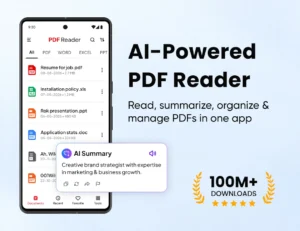
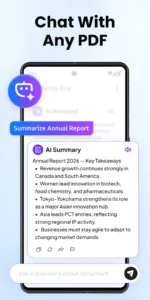
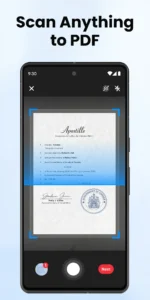
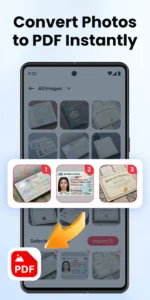
What sets this tool apart from the standard Android PDF viewers is its integration of AI capabilities. The ability to summarize long documents and chat with your PDFs helps significantly when you are reviewing research papers or long contracts on a small screen. Instead of scrolling through dozens of pages, you can ask the app specific questions to find the data you need. Additionally, the inclusion of an image-to-PDF converter is a practical addition for users who need to digitize physical receipts or whiteboard notes on the fly.
Multitasking and Text-to-Speech
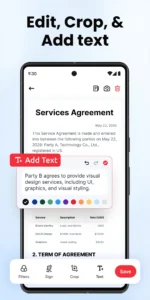
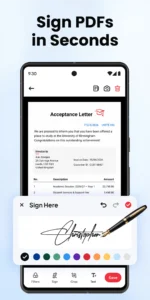
The text-to-speech functionality is a standout feature for long-form content. Whether you are commuting or multitasking around the house, the app reads your documents with decent clarity, allowing you to consume information without keeping your eyes locked on the display. For those who enjoy gaming or complex app environments, the performance remains stable, unlike heavier apps like PojavLauncher which require significantly more system resources. The addition of e-signatures and basic page management—like splitting, merging, and cropping—rounds out PDF Reader App: Read All PDF as a comprehensive office companion.
Practical Considerations for Daily Use
- Offline Reliability: Essential features work without a data connection, which is perfect for travel.
- File Management: The file sorting and bookmarking systems are intuitive, keeping your library organized.
- Visual Comfort: Includes dedicated dark mode and eye protection settings to reduce fatigue during extended reading sessions.
- Compatibility: Beyond PDFs, it handles Word, Excel, and PPT files, acting as a true all-in-one document portal.
APP TRAILER