
Pulsar Music Player 1.14.0
Rhythm Software
November 16, 2026
Varies with device
1.14.0
ANDROID
RELATED APPS






SCREENSHOTS
DESCRIPTION
What Is Pulsar Music Player?
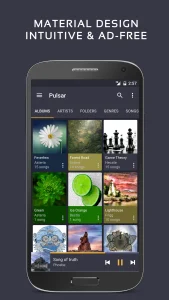
For users who prefer local media libraries over streaming subscriptions, Pulsar Music Player stands out as a refined, lightweight solution. Developed by Rhythm Software, this app prioritizes a clean, Material Design aesthetic while packing in the features that power users demand. It is completely offline and notably free of advertisements, making it an excellent choice for those who want a distraction-free listening experience on their Android device.
Key Features
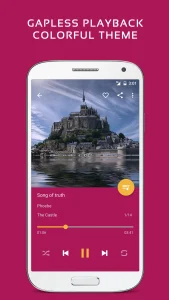
- Gapless Playback: Perfect for live albums or classical suites where seamless transitions are essential.
- Chromecast & Android Auto: Easily cast your local library to speakers or control playback safely while driving.
- Advanced Audio Controls: Includes a built-in equalizer, ReplayGain normalization, and sound balance adjustments.
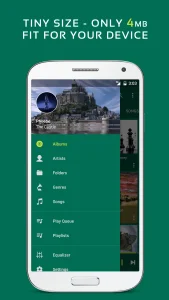
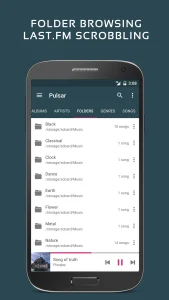
- Smart Organization: Automatically categorizes music by artist, album, genre, and folder, with smart playlists for recently added or most-played tracks.
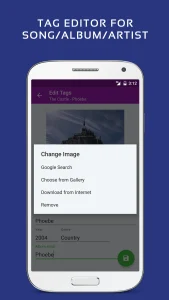
- Tag Editor: Modify metadata for MP3 and other formats directly within the app.
- Visual Customization: Offers various themes and an integrated music visualizer for a more dynamic playback screen.
Hands-On Usability & Performance
Setting up Pulsar Music Player is straightforward. Upon first launch, it scans your device for local audio files. If you add new music later, a quick tap of the “rescan library” option ensures your catalog stays current. The interface follows Google’s Material Design guidelines, which means it feels right at home on modern Android versions. Navigation is snappy, and the app is remarkably efficient with system resources, ensuring that your battery life doesn’t take a hit even during extended playback sessions.
One of the most practical aspects of Pulsar Music Player is its ability to remember playback positions, which makes it a surprisingly competent tool for listening to long-form audiobooks or podcasts. The inclusion of Last.fm scrobbling and lyrics support (via embedded or LRC files) rounds out the experience, offering deep functionality without the bloat found in many other media players.
Frequently Asked Questions
Does Pulsar Music Player require an internet connection?
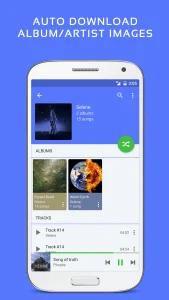
No. It is a strictly offline player. It only uses the internet if you choose to sync metadata or album art, and you can manage your library entirely offline.
Can I use it with my car’s head unit?
Yes, the app features full Android Auto support, allowing you to browse your library and control playback through your car’s integrated dashboard display.