


Steam 3.10.11
Valve Corporation
November 17, 2026
Varies with device
3.10.11
ANDROID
com.valvesoftware.android.steam.community
RELATED APPS






SCREENSHOTS


DESCRIPTION
Get More from Your PC Gaming Library
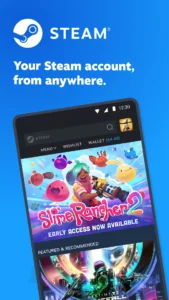
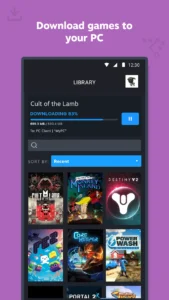
The Steam APK provides a direct link to your PC gaming ecosystem, allowing you to manage your library and store from your mobile device. Valve Corporation developed this mobile companion to ensure you never miss a sale or community update. By keeping your account connected, you can browse the entire Steam catalog and handle game downloads remotely, even when you are away from your computer.
Secure Your Account with Steam Guard
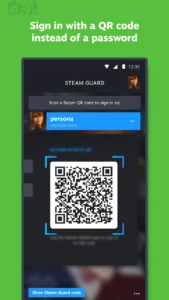
Security is a primary focus of this mobile tool. Steam includes built-in two-factor authentication to keep your account safe from unauthorized access. You can use QR code scanning for faster sign-ins or approve login requests directly from your phone. If you enjoy other digital platforms like PlayHub Plus, you will appreciate how this app centralizes your authentication needs in one place.
Stay Connected to the Community
Access the full Steam Community, including discussions, groups, and the Market, directly from your Android device. The app provides a personalized news feed based on your library, so you stay informed about updates and events for the games you own. You can also view your friends list, check inventory, and manage your wallet balance efficiently. Those who prefer specialized entertainment might also enjoy Kawaii Animes to round out their mobile gaming and media experience.
Manage Game Downloads Remotely
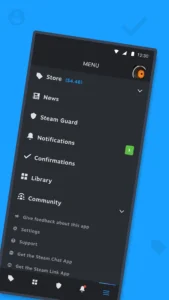
The library view makes it easy to see your game content, guides, and support pages. Steam allows you to manage game downloads and updates on your PC remotely from your phone. You can also customize your notifications to receive alerts for wishlist items, sales, or friend requests. The app supports multiple accounts, letting you switch between profiles without hassle.
Android Compatibility and Setup
To use the Steam APK, ensure your device meets the minimum Android requirements. The installation process is straightforward, requiring standard permissions to access your network and storage for managing account security and downloads. You can customize your main app tabs to prioritize the features you use most often, making it a tailored experience for every PC gamer.
| Version | 3.10.11 |
| Developer | Valve Corporation |
| Requires Android | ANDROID |
Is the app free to use?
Yes, the Steam Mobile App is free to download and use for all Steam account holders.
Can I play PC games directly on my phone?
No, this app is for managing your account, library, and store. It does not run your PC games directly.
Does it work with multiple accounts?
Yes, the app supports using multiple Steam accounts, allowing you to switch between them inside the application.
APP TRAILER
