


RELATED APPS






SCREENSHOTS

DESCRIPTION
Refining the Daily Email Workflow
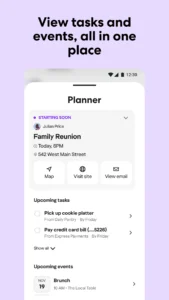
Managing a digital inbox often feels like a losing battle, but Yahoo Mail: Email & Planner attempts to shift that narrative by integrating organizational tools directly into your messaging stream. Unlike basic mail clients that simply list headers, this app focuses on surfacing the information that actually matters. The interface feels snappy, and the integration of the Planner feature means you aren’t constantly jumping between your calendar and your inbox to manage appointments. It is a thoughtful design choice for users who need to maintain productivity while on the move.
Smart Organization and Storage Management
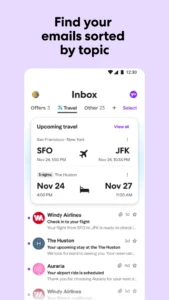
One of the most practical aspects of using Yahoo Mail: Email & Planner is the generous 20GB of free storage. In an era where cloud space is often gated behind subscriptions, this is a significant advantage for long-term users. The app’s ‘Orders Hub’ is particularly effective; it automatically parses tracking numbers and receipts, stripping away the need to manually search through archives when you are expecting a delivery. For users who also prioritize encrypted communication, pairing this with a secure cloud messaging app creates a balanced digital communication suite that separates professional email management from private, real-time chat.
Privacy and System Impact
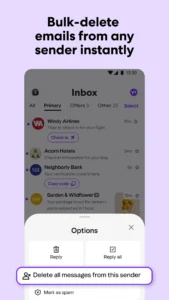
Battery performance is a critical metric for any background-syncing app. Throughout testing, Yahoo Mail: Email & Planner maintained a lean footprint, rarely appearing as a top drainer in system settings. The spam filters are robust, and the ‘Delete by Sender’ feature is a satisfying way to reclaim storage and sanity in seconds. While the app is feature-rich, it remains responsive even on mid-range devices. If you frequently handle web-based tasks, you might find it works best alongside a fast secure mobile browser to handle attachments and web links without breaking your workflow.
Key Utility Highlights
- Unified Inbox: Sync your Gmail, Outlook, and AOL accounts into a single, manageable view.
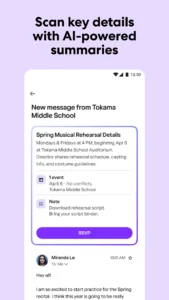
- AI Assistance: Use the tone-assist tools to draft professional responses without overthinking your phrasing.
- One-Tap Unsubscribe: Easily clear out marketing clutter that accumulates over time.
- Planner Integration: Convert emails into calendar events or tasks with simple swipe gestures.
APP TRAILER
