

Google Go 3.135.855715829.release
Google Commerce Ltd
November 20, 2026
23.2 MB
3.135.855715829.release
com.google.android.apps.searchlite
RELATED APPS




SCREENSHOTS

DESCRIPTION
Why should you use the Google Go APK?
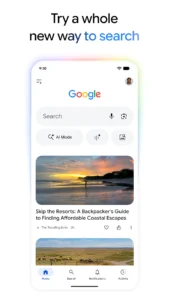
Are you looking for a faster way to search the web and interact with your device? Google Go is a tool designed to provide quick answers and help you explore your interests. Developed by Google Commerce Ltd, this application brings AI-powered search features directly to your phone, allowing you to ask questions, translate text, and find information in many different ways. By installing the Google Go APK, you gain access to a suite of smart features including AI Mode and Google Lens that assist with daily tasks and information gathering.
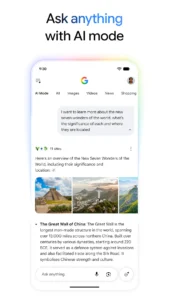
The app offers several core features to simplify how you find data. With AI Mode, you can get AI-powered responses to complex questions by talking, typing, or taking a photo. This tool provides helpful links so you can continue your research across the web. If you need to manage your system files, you might also find tools like ZArchiver Pro Donate useful for your device organization.
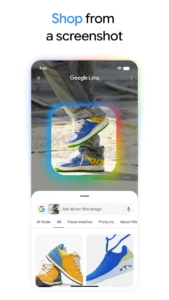
Google Lens is another highlight integrated into the experience. You can snap a photo to identify objects, translate over 100 languages in real-time, or solve math problems. The search experience is built to be intelligent, offering suggestions that expand as you type. If you are interested in running different software on your mobile, you could look at Minecraft Java: PojavLauncher to expand your device capabilities. Google Go also features Hum to Search, which identifies songs just by the melody you hum, and the Discover feed, which provides personalized news and videos based on your interests.
Getting started with the app
To begin, simply download the Google Go APK and follow the on-screen installation prompts. Because the app provides comprehensive search tools, it requests several permissions to function correctly. These include access to your location, camera, and microphone for voice searches, as well as external storage to manage your downloads. The app also uses Bluetooth and Wi-Fi state permissions to ensure stable connectivity during your searches. It requires permission to read your contacts and calendar, as well as the ability to set alarms and manage foreground services for media playback.
Once installed, you can access your privacy settings by tapping your profile picture. From there, you can clear your recent search history with one click. The application is built to filter webspam, ensuring that the results you see are high-quality and safe. Google Go is free to use and provides a wide range of features, from AI-powered image generation with Nano Banana to real-time conversation via Search Live. You can use it to plan, research, and brainstorm new ideas using the latest Gemini models for improved performance.
Strengths and limitations
Strengths:
- Fast search performance for quick information retrieval.
- Integrated AI tools for complex questions and image generation.
- Real-time translation and object identification via Lens.
- Clear privacy controls for search history management.
- Personalized news and video feeds in the Discover section.
Limitations:
- Requires many device permissions for full functionality.
- Some features like Nano Banana are limited to select languages and locations.
- Requires an active internet connection to function.
Who should install it?
This app is ideal for users who want a lightweight yet powerful search tool that integrates AI and camera-based utilities. It is perfect if you frequently need to translate text, identify items in the real world, or get quick summaries of complex topics. Users who want a streamlined interface for their daily research will appreciate how the app handles queries. It is also excellent for people who want to bridge the gap between their physical environment and web information through their camera.
Is Google Go free to use?
Yes, the application is free to download and use.
Does it work offline?
No, the app requires an active internet connection to provide search results and AI-powered responses.
What is the latest version available?
The current version is 3.135.855715829.release, updated on Jan 14, 2026.
