


Numero: Virtual Number & More 18.75
Google Commerce Ltd
November 20, 2026
128.8 MB
18.75
com.esim.numero
RELATED APPS






SCREENSHOTS


DESCRIPTION
Getting Started with Numero: Virtual Number & More APK
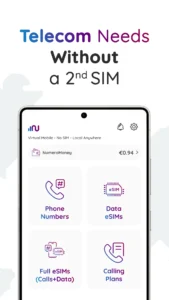
To begin using Numero: Virtual Number & More, you need to download the app and sign in to your account. The application acts as a hub for managing virtual phone numbers and data plans directly from your mobile device. Because the app requires access to your phone state, contacts, and microphone to handle calls and messages, you must grant these specific permissions during setup. The app also uses location services to optimize your connection and requires internet access to function as a VoIP-based communication tool. By installing the Numero: Virtual Number & More APK, you gain access to a flexible, cloud-based alternative to traditional physical SIM cards for your daily communication needs.
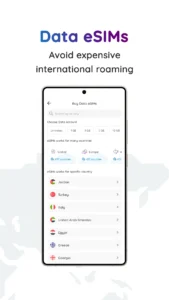
Once you have configured the app, you can browse a wide selection of virtual numbers from various countries. You have the choice to select a number for SMS and calls or one specifically for messaging services. For those traveling, you can purchase and activate a data eSIM by scanning a QR code before your trip. This allows you to stay connected without the need to swap physical SIM cards or pay high roaming fees. It is a highly efficient way to keep your primary personal number private while managing multiple business or temporary lines.
Key Communication Features
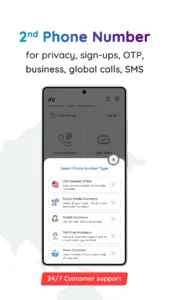
Numero: Virtual Number & More provides several tools to manage your connectivity. You can secure a second mobile number or a landline for business, freelancing, or personal privacy. The app supports toll-free numbers, which allow customers to contact you without incurring charges. Furthermore, you can use the built-in call forwarding feature to redirect incoming calls to another number or your voicemail, ensuring you stay reachable while you are away. These features make it easier to separate your work life from your personal life on a single device.
For international travelers, the app offers local, regional, and global data eSIM options. If you need both data and calling capabilities, you can opt for a full eSIM that bundles a phone number with your data plan. The app also features a free coins center where you can collect coins to acquire a US phone number for one month at no cost. You can learn more about managing your online interactions through tools like Telegram for secure messaging.
Managing Your Account and Costs
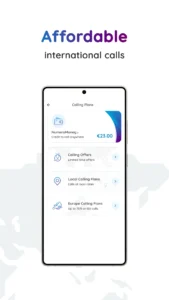
The app operates on a subscription basis for virtual numbers, with options available for 1, 3, or 12 months. Auto-renewal is enabled by default, but you can manage or cancel your subscriptions directly through Google Play or the settings menu within the app. While the app is free to download, it includes advertisements and offers various calling plans to keep your costs low when making international calls to mobile phones and landlines. For your browsing needs, you might also consider Google Chrome: Fast & Secure to complement your mobile experience. This app is designed to provide you with the most affordable rates for reaching contacts across the globe.
Quick Facts
Strengths and Limitations
Strengths:
- Offers virtual numbers from many countries for privacy and business.
- Simplifies international travel with data-only and full eSIM options.
- Includes features like call forwarding and voicemail to manage your availability.
- Provides a way to obtain a free US number through the coins center.
Limitations:
- The app contains advertisements.
- Not all virtual numbers support WhatsApp.
- Requires several device permissions to provide full calling and messaging functionality.
Is the app free to use?
Numero: Virtual Number & More is free to download. While it offers a free coins center to earn a US number, many of its services, such as international calling plans and some virtual number subscriptions, require payment.
Does this app work offline?
No, the app relies on internet connectivity to function. Since it is a VoIP-based service, you need an active Wi-Fi or mobile data connection to make calls, send SMS, or use your travel eSIM.
Can I use this for WhatsApp?
Yes, but you must select a number from the dedicated WhatsApp-compatible section within the app. Note that numbers obtained through the free coins center do not support WhatsApp.
