


Nekogram 13.2.2
Google Commerce Ltd
November 20, 2026
52.2 MB
13.2.2
tw.nekomimi.nekogram
RELATED APPS




SCREENSHOTS
DESCRIPTION
Getting Started with the Nekogram APK
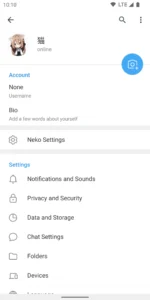
Nekogram is a specialized third-party client designed to interface with the established Telegram messaging service. It focuses on providing a highly familiar experience while adding specific, useful modifications for your daily communication needs. To begin using it, download and install the Nekogram APK on your Android device. Because this application connects to your existing account, you will need to sign in using your registered phone number and the verification code you receive via the official platform.
The app requires an extensive list of permissions to function correctly across your device. These include access to your contacts, camera, and microphone for media sharing and voice or video calls. It also requests location data and file access to handle documents, images, and video attachments effectively. You must grant permissions for notifications and background data syncing to ensure you receive messages in real time. If you prefer the standard interface without these extra tweaks, you might also consider Telegram for a more traditional messaging experience.
Customizing Your Chat Experience
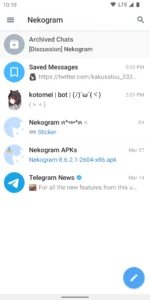
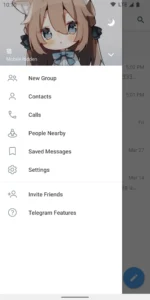
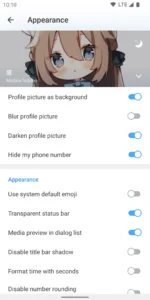
Once you are set up, you can adjust the appearance to better suit your personal preferences. You can set your avatar as the drawer header background or choose to use system emojis throughout the interface. The app also allows for a transparent status bar, giving your device a cleaner look while you chat. If you use a mobile browser for research, reading, or opening shared links, you might occasionally need Google Chrome: Fast & Secure to manage your web sessions.
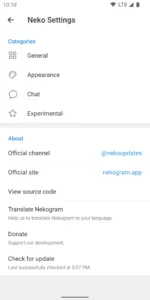
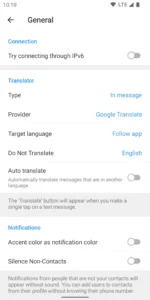
Nekogram includes several practical tools for your conversations. You can control sticker sizes to save screen space and choose to display folders directly on the forward page. One helpful feature is the ability to automatically pause videos when you switch the app to the background, which helps save battery and data. Furthermore, the built-in translator allows you to translate incoming messages and articles using various translation engines. This Nekogram APK release ensures that you get these specific modifications while maintaining the fast, secure, and synced nature of the core messaging service.
Why Use the Nekogram APK?
Many users choose Nekogram because they want more control over how their messaging application looks and behaves. By providing options to manage sticker sizes and organize folders on the forward page, the developer makes it easier to navigate large chat histories. The app remains powerful, supporting group chats with up to 200,000 members and the ability to share large documents or videos up to 2 GB each. Whether you need to send complex file types or simply want a more personalized interface, this client offers a balance of advanced functionality and clean design.
Quick Facts
Strengths and Limitations
Strengths:
- Adds useful UI modifications to the standard messaging flow.
- Includes a built-in message and article translator with multiple engines.
- Offers granular control over media, such as sticker sizes and video playback behavior.
- Supports large file sharing and group sizes consistent with the core service.
- Provides a clean, fast, and synced interface for all your devices.
Limitations:
- Requires a wide range of device permissions for full functionality, including camera, microphone, and location access.
- Dependent on the core Telegram service for account management and cloud storage.
- The interface may feel different from the official client for some users who prefer the stock look.
- Includes in-app purchases which may be relevant for certain features or service tiers.
Frequently Asked Questions
Is Nekogram free to use?
Yes, the app is free to download and use on your Android device.
Does it work offline?
Like the standard messaging platform, it requires an active internet connection to sync your messages, download media, and receive new content from your contacts.
Is my data secure?
The app acts as a client for the existing cloud-based messaging network, meaning your chat history is stored in the cloud as provided by the core service.
Which Android version do I need?
The application is designed to be compatible with a wide range of Android devices, though it is always best to keep your operating system updated for security.
