


RELATED APPS





SCREENSHOTS

DESCRIPTION
A Centralized Hub for Your Digital Life
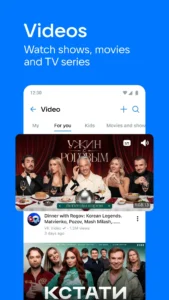
Managing separate apps for messaging, music streaming, and fitness tracking can clutter your device and drain battery life. VK: music, video, messenger aims to solve this by consolidating these services into a single, cohesive interface. For users who want a high-utility social platform, this app acts as a Swiss Army knife, allowing you to transition from high-definition video calls to curated music playlists without switching applications.
Seamless Communication and Media Integration
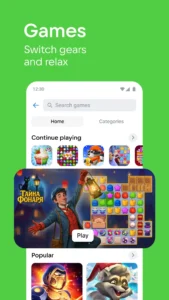
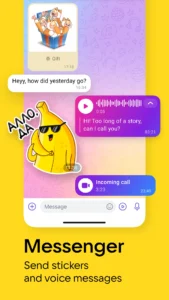
The messenger functionality is robust, supporting both private chats and large-scale group communications. The video calling feature is particularly notable for being free and without strict time limits, which is ideal for long-distance coordination. If you enjoy interactive social spaces, you might also find the multiplayer mini games inside other platforms useful, but VK: music, video, messenger integrates these features directly into your main social feed, making it easier to challenge friends to a quick match while chatting.
Curated Entertainment and Active Lifestyle
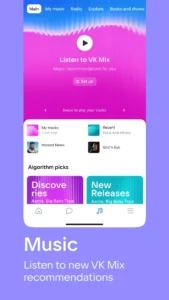
Beyond simple social networking, the app features a powerful music player and a short-form video platform called VK Clips. The recommendations engine is surprisingly adept at suggesting content based on your listening habits, effectively replacing standalone music apps for many casual listeners. Furthermore, the health integration is a unique touch; it connects with your phone’s sensors to track steps, adding a competitive element to your daily routine. For those exploring the broader VK: music, video, messenger ecosystem, you can learn more about the platform’s history and its role as a Russian social media app to understand its deep-rooted community features.
Optimizing Your Daily Experience
To get the most out of the app, ensure you grant the necessary permissions for activity tracking and notifications so that you don’t miss messages or step-count updates. While the app is feature-rich, it is generally well-optimized for modern Android devices. Frequent users should keep an eye on the cache settings within the app menu, as media-heavy feeds can grow in size over time. By balancing its extensive feature set with smart navigation, the developers have created a platform that handles everything from news consumption to daily exercise tracking with relative ease.
APP TRAILER
