


Discord - Talk, Play, Hang Out 354.12 - Stable
Google Commerce Ltd
November 20, 2026
178.7 MB
354.12 - Stable
com.discord
RELATED APPS






SCREENSHOTS
DESCRIPTION
Looking for a dedicated space to talk with friends while gaming, streaming video, or sharing memes? Discord – Talk, Play, Hang Out brings group voice, video, and text communication together in customizable servers and direct channels. Developed by Google Commerce Ltd, the Discord – Talk, Play, Hang Out APK allows mobile users to jump into voice rooms and stay connected with online communities without missing a beat. Whether you are building a worldwide community, organizing game nights, or just looking for a casual spot to chill, this application provides a central hub for all your group social interactions.
What Can You Do with Discord – Talk, Play, Hang Out APK?
The application offers a wide variety of tools designed to make staying in touch with your friends and gaming groups fun and interactive on your mobile device:
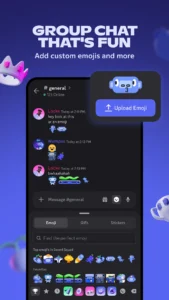
- Custom Emoji, Stickers, and Soundboards: Add your personality to voice, video, or text chat by creating custom emoji, stickers, and soundboard effects. You can also set a custom avatar, status message, and written profile to show up in chat your way.
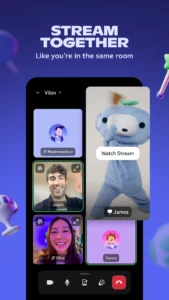
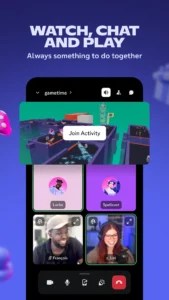
- Low-Latency Screen Streaming: Stream your screen with high quality and low latency. This makes it feel like you are hanging out on the couch together while playing your favorite mobile games, watching videos, looking at photos, or completing homework assignments.
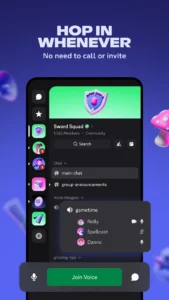
- Drop-In Voice and Text Channels: Easily hop in and out of voice rooms or text chats without having to call or invite anyone. You can jump into active channels before, during, or after your gaming sessions.
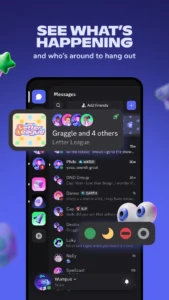
- See Who is Around and Playing Games: Check which friends are online, playing games, or just hanging out. For supported titles, you can see what game modes or characters your friends are playing and join their game directly.
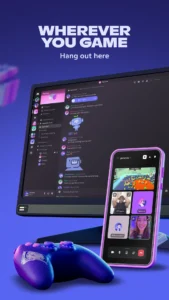
- Cross-Platform Hangouts: Connect with friends whether they are on mobile phones, PCs, or consoles. You can switch between devices smoothly and manage multiple group chats without losing track of conversations.
- Shared Activities and Entertainment: Watch videos, play built-in mini-games, listen to music, or scroll through meme channels together inside your group text chat.
How Do You Set Up Discord on Android?
Getting started with the app requires downloading the 178.7 MB file and signing into your existing account or creating a new profile. During the installation process, the application requests several system permissions to handle live calls and rich media sharing. Microphone access allows audio participation in voice rooms, while camera permissions support video calls and screen broadcasting. The app uses notification permissions to send chat alerts, storage permissions to share photos and video files, and system alert window permissions for floating overlays. It also requires permissions for foreground services like microphone usage, camera access, media projection, and data synchronization to ensure your voice calls stay active even while using other applications. If you need a fast web browser to open external server invites or community links, applications like Google Chrome: Fast & Secure can open those web resources smoothly.
Discord – Talk, Play, Hang Out APK Details
What Are the Key Strengths and Limitations?
Strengths:
- Completely free platform for voice calls, video streaming, and group text channels.
- Low-latency streaming makes sharing gameplay and videos with friends smooth and clear.
- Drop-in voice rooms eliminate the need to dial friends or send call invites.
- Cross-platform communication lets mobile users connect with PC and console players.
- Extensive profile customization options including custom avatars, statuses, emoji, and soundboard effects.
Limitations:
- Large file size of 178.7 MB requires available storage space on your device.
- Requires extensive system permissions, including background audio, camera, notifications, and alert window access.
- Requires an active network connection via mobile data or Wi-Fi to function.
Who Should Download This App?
Gamers looking for reliable, low-latency voice communication and live screen sharing while playing on mobile, PC, or console will find this app essential. It is also ideal for online communities and friend groups that want organized text boards, shared activities, and drop-in voice rooms. However, if you only need a lightweight cloud messenger for simple text messaging without voice rooms or server structures, alternatives like Telegram may better suit your needs.
Frequently Asked Questions
Is Discord free to download and use?
Yes, the app is completely free to download, install, and use for text messaging, voice calls, and video streaming on Android devices.
Does Discord work offline?
No, the app requires a live internet connection through mobile data or Wi-Fi to send messages, join voice channels, stream video, or check active status updates.
What permissions does the app require on Android?
The app requests permissions for audio recording, camera access, network state, notifications, system alert windows, storage for visual media, and foreground services for media projection and background audio calls.
Can you talk with friends playing on PC or gaming consoles?
Yes, the application supports cross-platform communication, allowing mobile users to text, voice chat, and view statuses with friends on PC and console systems.
