File Manager Latest
File Manager Plus
November 16, 2026
Varies with device
Latest
ANDROID
RELATED APPS



SCREENSHOTS


DESCRIPTION
Taming the Digital Clutter
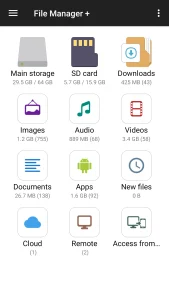
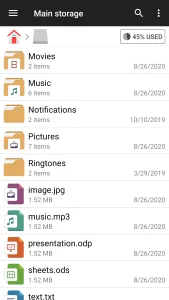
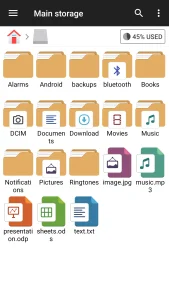
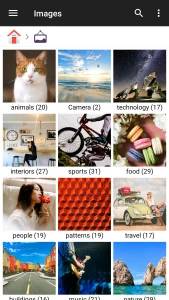
We have all been there: you need to find that one specific PDF or a photo you downloaded last week, but it is buried under layers of system folders and forgotten downloads. Stock file explorers on many Android phones often feel clunky or overly restrictive. File Manager + steps in to solve this by providing a clean, logical interface that prioritizes accessibility. Instead of digging through raw directories, the app surfaces your content by category—Images, Audio, Videos, and Documents—making it trivial to locate your data.
Unified Access for Cloud and Local Storage
Managing files is rarely limited to just your internal memory anymore. Whether you are juggling files on an SD card, a USB OTG drive, or remote servers, this tool handles them with equal proficiency. It supports connections to NAS and various cloud services, ensuring that your workflow remains consistent. If you regularly sync work documents, you might also want to explore encrypted cloud storage to keep your sensitive data shielded from prying eyes while you manage your local files.
Built-in Utilities for Efficiency
One of the strongest aspects of File Manager + is its refusal to rely on external apps for basic tasks. It includes a snappy internal image viewer, a functional music player, and a lightweight text editor. This means you can preview files or make quick edits without triggering a dozen app switches. For those who frequently participate in remote collaboration, these tools complement productivity apps like Google Meet APK, allowing you to quickly locate and share assets during your video calls without needing to leave the file management environment.
Storage Analysis and Maintenance
If your device is constantly warning you about low storage, the integrated storage analysis tool is a lifesaver. It provides a visual breakdown of what is eating up your space, distinguishing between large media files, redundant app data, and system junk. By using File Manager + to perform these regular cleanups, you keep your device running smoothly without the need for bloated third-party cleaning apps that often do more harm than good.
- Automatic categorization of files by type.
- Full support for NAS, FTP, and major cloud providers.
- Built-in extraction for ZIP, GZ, and TAR archives.
- Extensive support for Android TV, tablets, and mobile phones.
APP TRAILER