Google Drive Latest
Google LLC
November 16, 2026
Varies with device
Latest
ANDROID
RELATED APPS
SCREENSHOTS
DESCRIPTION
Keeping Your Digital Life Synchronized
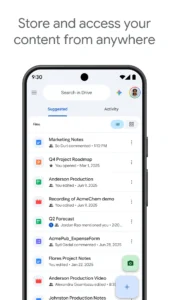
We have all been there: standing in a checkout line or waiting for a flight, only to realize the document you need for a meeting is trapped on your desktop computer at home. Google Drive acts as the central hub for your digital existence, ensuring that your PDFs, spreadsheets, and high-resolution photos are always within reach. By moving your workflow into the cloud, you eliminate the anxiety of device-specific file storage and gain the peace of mind that comes with real-time syncing.
Streamlined Collaboration and Accessibility
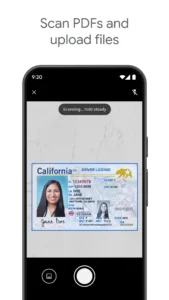
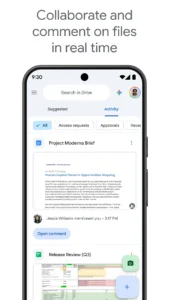
The strength of Google Drive lies in its ability to handle more than just simple document storage. You can edit Office files directly within the interface or use the built-in scanner to digitize physical receipts and contracts on the fly. If you find yourself needing to coordinate with a remote team, you might also want to utilize HD video conferencing to discuss those shared files in real-time. The permission settings are granular, allowing you to control exactly who can view, comment, or edit your sensitive information.
Advanced Search and Offline Capabilities
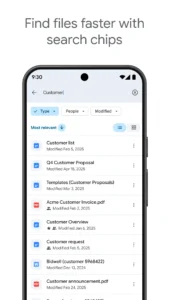
One of the most underrated aspects of Google Drive is its powerful search engine. You are not limited to finding files by title; the app can index the actual content within your documents and PDFs, making it trivial to locate that one specific paragraph you wrote months ago. For users worried about data privacy or needing a different approach to file security, comparing this with encrypted cloud storage can help you decide which ecosystem best fits your professional requirements.
Optimizing Your Android Experience
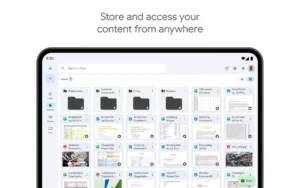
On larger displays like tablets, the app truly shines with its side-by-side view and drag-and-drop functionality, which mimics a desktop file management experience. While the 15GB of free storage is generous for most casual users, the app integrates seamlessly with Google One for those who need to expand their capacity. Whether you are managing personal photos or complex project folders, the stability of the platform remains a reliable standard for Android users everywhere.
APP TRAILER