


Firefox Fast & Private Browser 160.0.1
Google Commerce Ltd
November 20, 2026
259.9 MB
160.0.1
org.mozilla.firefox
RELATED APPS






SCREENSHOTS


DESCRIPTION
Why You Need Firefox Fast & Private Browser APK
Many users find that their online activity is constantly monitored by trackers, social media companies, and invasive scripts. If you are tired of cross-site cookies and slow page loads, Firefox Fast & Private Browser offers a direct solution. This tool focuses on privacy by default, blocking unwanted trackers and providing a cleaner way to view the web. By downloading the Firefox Fast & Private Browser APK, you take control of your data through built-in tools like Total Cookie Protection. These features isolate cookies to the sites that create them, preventing companies from following your activity across the internet. It is a reliable choice for anyone who wants to browse without the clutter of unwanted ads or data collection. Mozilla created this browser to prioritize people over profit, ensuring your digital footprint remains yours.
Key Features for Better Browsing
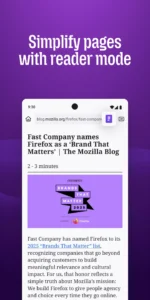
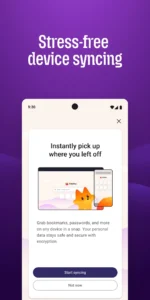
The app provides several ways to customize your experience to suit your personal preferences. You can easily organize tabs or use the sync feature to access your bookmarks, history, and passwords on other devices. Reader View strips away distractions to show only the text and images you want to see in an article. For those who multitask, the picture-in-picture mode keeps videos visible while you navigate other pages. Performance remains a priority, as blocking trackers often leads to faster page loading times. You can even use the AI-powered page summary tool by shaking your phone to get the key points of long articles quickly. If you need a different communication tool for your device, you might also look at Telegram for secure messaging needs. The app also allows you to generate and autofill passwords, keeping your account credentials secure and easy to manage throughout your daily browsing sessions.
Privacy and Control
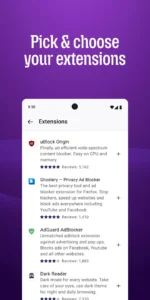
When you need to keep your activity hidden, the private browsing mode ensures that your history, searches, and cookies are never saved. You can even lock these private tabs with your device’s biometric security for an extra layer of protection. Firefox Fast & Private Browser allows you to add extensions, such as specialized ad blockers, to further tailor how you interact with websites. The latest update includes stricter local network access restrictions, requiring websites to request permission before connecting to local devices. This adds another layer of security to your home network. For users who prefer alternative browsers, Google Chrome: Fast & Secure is another option available for Android. Always remember that Firefox Fast & Private Browser puts you in control of these settings, letting you turn features like AI on or off based on your preferences. You can also customize your home screen, layout, and shortcuts to create a browsing environment that feels truly personal.
Getting Started and Permissions
To begin using the app, download and install the APK file on your device. Upon first launch, the browser may request various permissions to function effectively. These include camera and microphone access for video calls or scanning QR codes, and location access for services that require geographic data. It also requires permissions for network state monitoring, file reading to manage downloads, and biometric authentication to secure your private tabs. The app uses foreground services to ensure smooth data synchronization and media playback stability. By granting these permissions, you allow the browser to deliver its full range of privacy and productivity features safely.
Quick Facts
Strengths and Limitations
- Strong privacy features like tracker and cookie blocking.
- Highly customizable with support for extensions.
- Syncs data across multiple devices.
- AI-powered page summaries for quick reading.
- Requires many permissions to function fully.
- Large file size compared to basic browsers.
- Some advanced features require manual configuration.
Is the app free to use?
Yes, it is a free browser.
Can I use it without an internet connection?
Like any web browser, you need an active network connection to load and view web pages.
Which Android versions are supported?
The developer does not specify a minimum version, but it is compatible with most modern Android devices.
