


Google Play Books & Audiobooks 2026.10.30.1 (398661)
Google LLC
November 22, 2026
28.7 MB
2026.10.30.1 (398661)
com.google.android.apps.books
SCREENSHOTS
DESCRIPTION
Get the Google Play Books & Audiobooks APK for Your Library
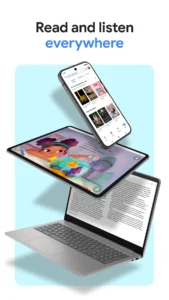
Struggling to carry heavy paperbacks or keep track of your growing library? Google Play Books & Audiobooks by Google Commerce Ltd solves this by bringing millions of titles directly to your Android device. This application provides a centralized hub for your personal collection, ensuring your library is always accessible. By using the Google Play Books & Audiobooks APK, you gain access to a vast ecosystem of comics, manga, audiobooks, and traditional ebooks that sync across your phone, tablet, and computer. You can even enjoy your books in your car using Android Auto, making it simple to listen to your favorite stories during your daily commute or on long road trips.
Key Features for Your Digital Library
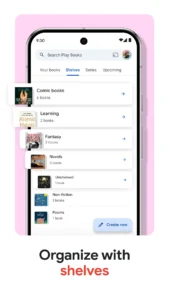
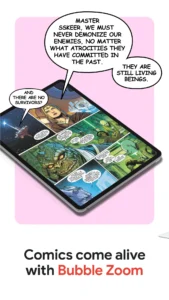
This app offers a versatile reading experience that adapts to your personal preferences. You can customize your display by adjusting font styles, text size, and brightness, ensuring comfortable reading in any lighting. The Google Play Books & Audiobooks platform supports custom shelves, allowing you to organize your titles by genre, author, or any specific theme you choose. For comic and manga enthusiasts, the Bubble Zoom feature makes reading on smaller screens much easier by enlarging text bubbles automatically. You can even preview samples before you commit to a purchase to ensure the book is perfect for you, and get helpful recaps or insights on select English titles.
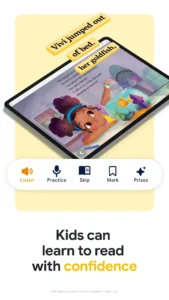
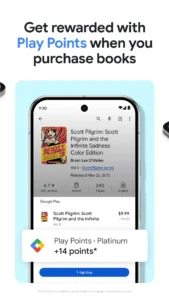
You are not limited to just reading text. The app includes smart note-taking tools that sync directly with your Google Drive, making it simple to save important thoughts or share them with others. If you prefer listening, you can control your audiobooks hands-free using Google Assistant. For younger readers, the app provides tools to help kids learn by listening to books aloud or checking word definitions. If you want to take a break and play games, you might also be interested in Poker Heat™ Texas Holdem Poker for a different kind of entertainment. The app also allows you to earn Google Play Points on your purchases, though the availability and rates for these rewards vary based on your country.
Getting Started and Permissions
Installing the application is simple from the Google Play Store. Once installed, the app requests several permissions to function correctly. It requires access to your network state and internet connection to download new titles. It also uses foreground services for consistent media playback and data synchronization. Other permissions, such as managing accounts or accessing your microphone for voice commands, ensure you have a responsive experience. For those who enjoy strategic card games, you could also explore Pusoy Dos ZingPlay – card game to expand your app collection. The app also provides the functionality to download your purchased ebooks and audiobooks to read on other devices like Nook, Sony Reader, or Kobo, provided they are DRM-free.
Strengths and Limitations
Strengths:
- No monthly subscription fees; you only pay for the books you choose.
- Offline reading support allows you to enjoy your library without an active internet connection.
- Cross-device synchronization lets you pick up exactly where you left off on your phone, tablet, or computer.
- Ability to upload your own EPUB and PDF files to your library for cross-device access.
- Integrated support for Android Auto for hands-free listening in your vehicle.
Limitations:
- Some features like reading practice tools and specific book insights are currently limited to English language titles.
- The app requires various permissions, including account management and network access, to provide full functionality.
- Play Points rewards depend on your country and are not available in all regions.
- The size of the app is 28.7 MB, which may require space on older devices.
Quick Facts
Frequently Asked Questions
Is Google Play Books & Audiobooks free to use?
Yes, the app is free to download and use. You only pay when you choose to purchase specific ebooks or audiobooks.
Can I read my books offline?
Absolutely. Once you download your books or audiobooks to your device, you can access them without needing an active internet connection.
Does this app support file uploads?
Yes, you can upload your own EPUB and PDF files to your library and read them across all your devices.
Is there a subscription fee?
No, there is no subscription required. You simply buy the individual titles you want.
APP TRAILER
