


Google Messages messages.android_20261106_00_RC04.phone_dynamic
Google LLC
November 22, 2026
139.0 MB
messages.android_20261106_00_RC04.phone_dynamic
com.google.android.apps.messaging
RELATED APPS






SCREENSHOTS
DESCRIPTION
Struggling with outdated text messaging that limits your media quality and group chat capabilities? Google Messages is the official messaging solution from Google Commerce Ltd designed to modernize how you communicate. By moving beyond traditional SMS and MMS, this app provides a rich, secure, and feature-packed environment for all your daily conversations. The Google Messages APK is the primary tool for millions to manage their digital interactions effectively. Whether you are sending a quick note or sharing life updates, this platform ensures your messages reach their destination clearly and securely.
Understanding the Google Messages APK
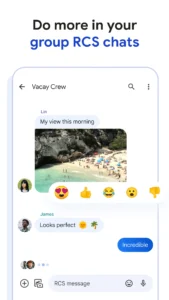
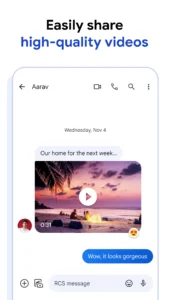
At its core, Google Messages leverages Rich Communication Services (RCS) to transform texting. This technology allows you to send high-resolution photos and videos without quality loss. You can see when friends are typing in real-time and participate in dynamic group chats, even when those groups include iPhone users. The app acts as an all-in-one hub for your SMS, MMS, and RCS messages, ensuring you stay connected with everyone. Because it is the official Google app, it integrates deeply into your Android system for a consistent experience.
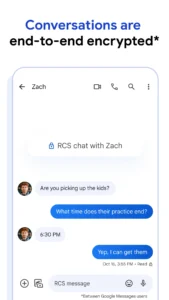
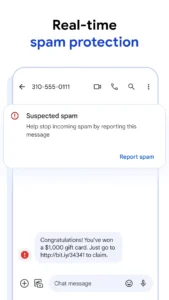
Privacy is a major focus for the developer. The app provides end-to-end encryption for conversations between users of the platform, meaning only you and the recipient can view the content. You also benefit from advanced spam protection, which helps filter out unwanted messages automatically. If you are looking for alternative ways to stay in touch, you might also consider Telegram for its focus on cloud-based messaging and large file sharing.
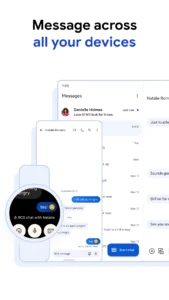
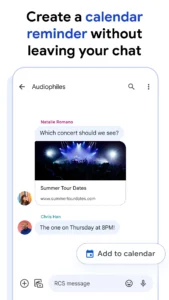
Beyond basic text, the app integrates modern tools to express yourself. You can customize chat bubble colors or send fun selfie GIFs to add a personal touch to every interaction. With AI-powered features like Magic Compose, the app helps you craft the perfect message by providing intelligent suggestions. For users who switch between hardware, you can start a conversation on your phone and continue it on your tablet, computer, or even a Google Chrome: Fast & Secure enabled device. This connectivity ensures that your conversations are always within reach, regardless of the screen you are currently using.
Getting the Google Messages APK ready for your device involves a standard installation process. Once installed, the app requests various permissions to function correctly. This includes access to your contacts to identify users, SMS and MMS logs to manage your history, and phone state to handle incoming calls. It also uses location and camera permissions to enable advanced features like sharing your location or capturing photos directly within a chat. These permissions are essential for the full suite of messaging services to operate properly, and the app manages them to provide a seamless user experience.
Key Features of the App
- High-Resolution Media: Share photos and videos without the compression common in standard MMS.
- AI Assistance: Use Magic Compose to receive smart suggestions that help you draft better messages.
- Device Flexibility: Sync your conversations across your phone, tablet, and computer for consistent access.
- Enhanced Privacy: Benefit from end-to-end encryption and advanced spam protection for a safer inbox.
- Wear OS Support: Stay connected even when you are away from your phone by using the app on your smartwatch.
Strengths and Limitations
- Strengths: High-quality media sharing, end-to-end encryption, cross-device synchronization, and integrated spam protection.
- Limitations: Large file size of 139 MB, requires extensive device permissions, and availability of RCS features depends on your specific carrier and region.
Who should use this app?
Google Messages is ideal for anyone who wants a modern, reliable, and secure messaging experience on Android. It is perfect if you want to share high-quality media with friends and family without relying on third-party platforms. However, if your carrier does not support RCS or if you prefer a minimal app with fewer background permissions, you might find the feature set more than you need.
Frequently Asked Questions
Is Google Messages free to use?
Yes, the app is free to download and use, though a data plan may be required for RCS features.
Does it work offline?
It handles SMS and MMS offline, but RCS features require an active internet connection.
Which Android version is required?
The developer does not specify a minimum version, but it is designed for modern Android devices.
