


Google Chrome 157.0.8103.80
Google LLC
November 22, 2026
233.9 MB
157.0.8103.80
com.android.chrome
RELATED APPS






SCREENSHOTS
DESCRIPTION
Get the Best Google Chrome APK Experience
Google Chrome is a premier mobile web browser developed by Google Commerce Ltd. It provides a fast and secure way to navigate the internet directly from your Android device. If you are looking for information, shopping, or browsing your favorite sites, this browser helps you manage your online experience. Downloading the Google Chrome APK ensures you have access to the latest performance improvements and stability updates directly from the source. It is designed to help you do what is possible on the web with speed and confidence.
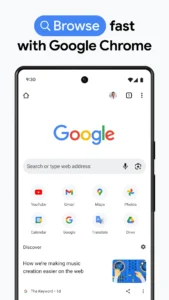
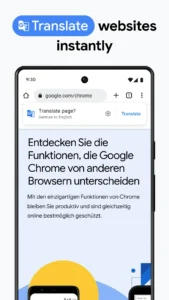
You can search the web quickly using Google Search and even use your voice for hands-free navigation. Google Chrome also integrates with Google Lens, allowing you to search for information about what you see through your camera. If you encounter content in a foreign language, the built-in translation feature lets you view entire websites in over 130 languages with a single click. This makes it an ideal tool for users who navigate diverse content online and need quick, accurate information on the go.
Key Features for Better Browsing
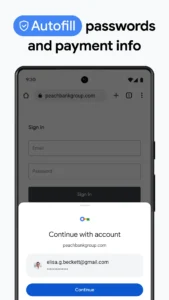
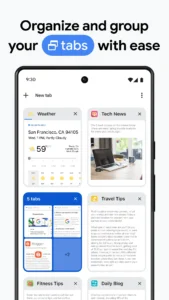
The browser includes several tools to improve your daily web activity. You can keep your digital life organized by using tab groups, which help you manage multiple open pages across your phone, computer, or tablet. To save time, the autofill function automatically inserts your saved addresses, payment methods, and passwords into web forms. These features ensure that your workflow remains efficient while you browse various websites. If you need a reliable alternative for messaging while you browse, you might consider downloading the Telegram app for secure communication.
Security is a major priority for the app. The enhanced protection mode provides high-level security while you browse. You can also use the safety check tool to receive proactive alerts about your online security. Additionally, the Google Password Manager helps you generate and store complex passwords, giving you alerts if any of your saved credentials appear at risk. This focus on security helps you browse with peace of mind every time you open the app.
Sync and Manage Your Data
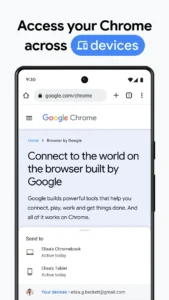
One of the main benefits of using Google Chrome is the ability to sync your bookmarks, tabs, and passwords across all your signed-in devices. This means you can start a task on your computer and finish it on your phone without losing your place. The app requires several permissions to function correctly, including access to your camera for Lens, microphone for voice search, and location for relevant search results. It also manages accounts and credentials to keep your synced data secure.
You can find more versions or related tools like the Google Chrome: Fast & Secure release to ensure you have the best experience for your specific device. The app is free to use but may include advertisements as part of its service model. Installing this software is an easy process that grants you access to a massive ecosystem of web tools, allowing you to manage everything from your browsing history to your saved payment information in one place.
Quick Facts
Strengths and Limitations
- Strengths: Fast search capabilities, built-in Google Translate, and cross-device synchronization.
- Strengths: Proactive safety check alerts and integrated password management.
- Limitations: The app includes advertisements.
- Limitations: It requires extensive system permissions to enable all advanced features.
Frequently Asked Questions
Is Google Chrome free to download?
Yes, the app is free to download and use on your Android device.
Does it work offline?
The browser requires an active internet connection to load new websites, though some cached content may be accessible offline depending on your settings.
What should I do if I have privacy concerns?
You can manage your permissions and privacy settings directly within the app menu to control how it accesses your location, camera, and other device data.
