


Digital Wellbeing 1.50.1015162751 (893257)
Google LLC
November 22, 2026
25.2 MB
1.50.1015162751 (893257)
com.google.android.apps.wellbeing
RELATED APPS






SCREENSHOTS
DESCRIPTION
Understanding Your Habits with Digital Wellbeing APK
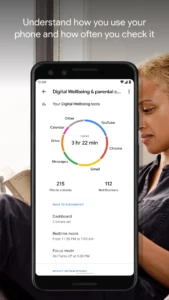
Digital Wellbeing is a tool developed by Google Commerce Ltd that helps you understand and manage how you spend time on your device. When you install the Digital Wellbeing APK, you gain access to a comprehensive dashboard that tracks your daily habits. It provides a clear picture of how often you unlock your phone, which apps you use most frequently, and how many notifications you receive throughout the day. By providing this data, it gives you the information you need to disconnect when you want to. This app is designed to help you regain control over your digital life by turning usage statistics into actionable insights for your daily routine.
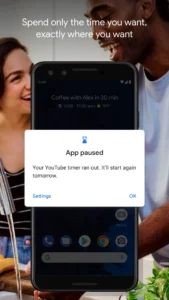
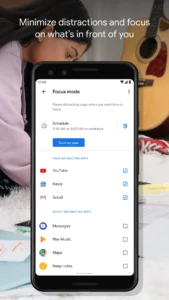
The app offers several features to help you manage your daily routine. You can set daily app timers to restrict how long you spend in specific applications, which is useful for limiting time on social media or games. If you need to stay productive, the Focus mode allows you to pause distracting apps with a single tap. You can even set a schedule for Focus mode to trigger automatically during work or study sessions. If you are looking for other utilities, you might also look into ZArchiver Pro Donate for managing your files or Minecraft Java: PojavLauncher to run desktop games on your device.
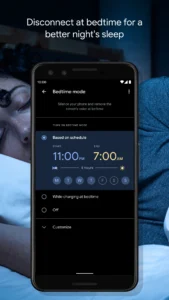
To help you wind down, Digital Wellbeing includes a Bedtime mode. This feature reminds you to switch off at night by fading your screen to Grayscale and activating Do Not Disturb to silence notifications. These tools are designed to help you balance your phone usage with your daily life. Because the app integrates with your system, it can adjust display settings, manage notification policies, and even handle system-level modes like quiet time automatically. By using these features, you can ensure that your device usage supports your goals rather than interfering with your rest or sleep quality.
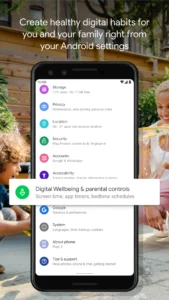
To get started, look for Digital Wellbeing in your phone’s Settings menu. The app requires a wide range of permissions to function correctly. It needs access to your location, activity recognition, and usage statistics to monitor your digital habits. It also requires permissions to control system modes, such as modifying display saturation, managing notification policies, and even rebooting or waking your device to ensure scheduled settings take effect. These permissions are necessary for the app to interact with your phone’s core functions and provide the promised tracking and management capabilities. It effectively monitors which packages are installed and how your background tasks operate to keep your usage metrics accurate.
Quick Facts
Strengths and Limitations
Strengths:
- Provides detailed statistics on app usage and notification frequency to help you understand your habits.
- Built-in timers and focus modes help reduce digital distractions throughout your day.
- Includes a specialized Bedtime mode to support better sleep habits by silencing notifications and fading the screen.
- Helps you maintain a better balance between your digital life and your real-world responsibilities.
Limitations:
- Requires extensive system permissions to function across your device.
- Not available as a standalone app store download; it is integrated into system settings.
- The app has a 3.4/5 rating, suggesting it may not meet every user’s expectations.
- Some advanced features rely on specific system-level integrations which may vary by device.
Who Should Use This App?
If you find yourself spending too much time on your phone and want to set boundaries, this app is for you. It is perfect for people who want to track their screen time and automate their focus or sleep schedules. If you prefer to have full control over your device without system-level monitoring, you may wish to skip it.
Is Digital Wellbeing free?
Yes, it is a free tool provided by Google.
Does it work offline?
The app tracks your usage data locally on your device, though some features may rely on system services.
Is it safe to use?
It is an official tool developed by Google Commerce Ltd and is designed to integrate directly with your Android operating system.
