

Google 17.76.14.sa.arm64
Google LLC
November 22, 2026
361.4 MB
17.76.14.sa.arm64
com.google.android.googlequicksearchbox
RELATED APPS






SCREENSHOTS
DESCRIPTION
How can you search for information and explore your interests more efficiently?
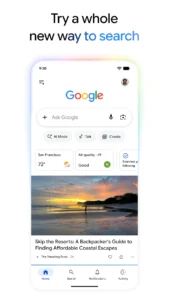
The Google app provides a centralized way to find quick answers, manage your daily information, and interact with advanced artificial intelligence directly on your device. Developed by Google Commerce Ltd, this application acts as a comprehensive portal for web searching, real-time translations, and multimedia analysis. Whether you need to solve a math problem, translate a menu, or find a song by humming, the app offers tools to handle these tasks in one place.
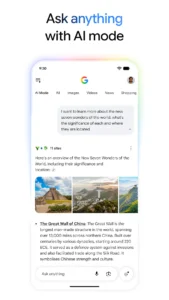
The core of the experience is the integration of AI-powered features. AI Mode allows you to receive intelligent responses to complex questions. You can type, talk, or use images to start a query. The system provides AI Overviews that summarize key information while keeping you connected to web links for deeper research. For creative tasks, the new Nano Banana feature lets you transform photos in Lens or generate images directly within AI Mode.
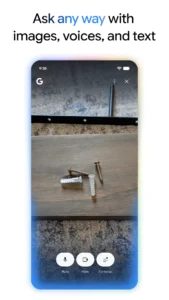
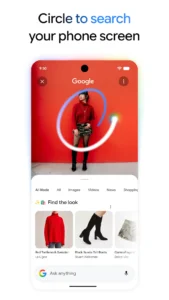
Visual discovery is handled through Google Lens. You can point your camera at objects to identify plants, translate text, or shop for products. If you are a fan of file management, you might also find ZArchiver Pro Donate useful for your device’s organizational needs. Lens also assists with homework by providing step-by-step guides for math and physics problems. The Circle to Search function allows you to highlight items on your screen to search for them instantly without leaving your current app.
For music lovers, the Hum to Search feature helps identify songs when you cannot remember the title or artist. You simply hum the tune, and the app attempts to match the melody. Additionally, the Discover feed keeps you updated on news and videos tailored to your specific interests. If you prefer customizing your mobile environment, you may want to check out Minecraft Java: PojavLauncher to explore different software capabilities on your phone.
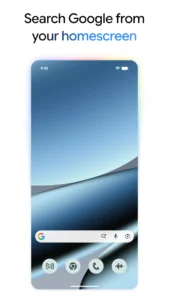
The Google app is designed with security in mind. All your search activity is protected by encrypted connections. You can manage your privacy settings and delete your search history quickly by tapping your profile picture. The app includes a widget for your home or lock screen, giving you faster access to Lens, AI Mode, and standard search functions.
Strengths and Limitations
- Strengths: Highly versatile AI tools, integrated visual search, and convenient privacy controls.
- Limitations: Large file size, contains ads, and requires extensive permissions to function.
Who should install this app?
Google is ideal for users who want a single, powerful search interface that combines web browsing with AI-driven assistance and visual recognition. It is well-suited for students needing homework help, travelers requiring real-time translation, and anyone who wants to stay informed on personalized topics. If you prefer a minimalist search tool or have limited storage space, you might find the large file size and the high number of required permissions to be a drawback.
Frequently Asked Questions
Is it free?
Yes, the app is free to download and use, though it includes ads.
Does it work offline?
Most features require an active internet connection to retrieve search results and process AI queries.
Which Android version is required?
The developer has not specified a minimum Android version for this release.
