


ideaShell: AI Thinking Partner 2.0.6
RoundRedDot Inc.
November 23, 2026
133.6 MB
2.0.6
com.rrd.ideaShell
RELATED APPS





SCREENSHOTS


DESCRIPTION
Getting Started with ideaShell
To begin using ideaShell, you first install the app on your Android device. Once launched, the app requires several permissions to function as a complete thinking partner. These include access to your microphone for voice notes, camera for capturing images, and calendar for scheduling events. It also requests location access, Bluetooth connectivity, and storage permissions to handle file imports like PDFs and Word documents. By granting these, you allow the app to synchronize notes across devices and interact with other hardware.
Core Features of ideaShell
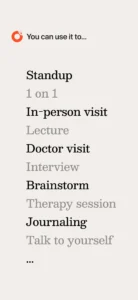
ideaShell is designed to capture thoughts through high-quality voice-to-text. You can record meetings, lectures, or spontaneous ideas, which the AI then turns into structured text. It handles dozens of languages and allows you to add custom vocabulary for specialized terminology. During playback, the app can remove filler words, generate summaries, and automatically create titles for your recordings.
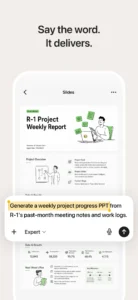
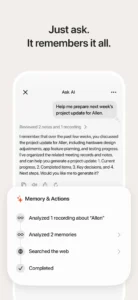
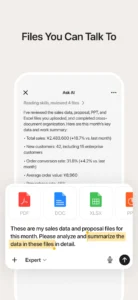
Beyond simple recording, the app functions as a research assistant. You can chat with your notes to brainstorm or analyze content using the AI Agent. If you need to manage your day, the app integrates search for events and to-dos, helping you plan your schedule effectively. For those who prefer visual organization, you can save drawings as image notes and even search for text within those images.
The latest version 2.0.6 introduces a sidebar and enhanced widget options, including calendar integration. You can export your hard work into various formats like A4 PDF or Word. If you need to manage large collections of digital files while organizing your thoughts, you might find ZArchiver Pro Donate helpful for your file management needs. You can also import USB recorder audio and browse your contacts directly within the app.
Strengths and Limitations
The app offers a versatile platform for note-taking and AI-assisted thinking. Its ability to handle multiple formats, including mind maps and web pages, makes it a powerful tool for productivity. However, users should be aware of the extensive permission requirements, which include access to location, calendar, and various sensor data. Additionally, the app’s comprehensive feature set requires a significant installation size of 133.6 MB.
If you are looking to explore advanced mobile software, you could also check out Minecraft Java: PojavLauncher to see how different apps utilize system resources. ideaShell remains a strong choice for those who need a pocket memo pad that actively helps organize and process information.
Is ideaShell free to use?
Yes, the app is listed as free. It utilizes in-app purchases to manage its service model.
Can I record audio without an internet connection?
Yes, ideaShell supports offline audio recording, allowing you to capture ideas even when you are not connected to the internet.
Does it support wearable devices?
Yes, the app includes a Wear OS version that supports Tiles and watch face complications for quick access.
