

Gboard - the Google Keyboard 18.6.7.1002251336-release-arm64-v8a
Google LLC
November 22, 2026
87.7 MB
18.6.7.1002251336-release-arm64-v8a
com.google.android.inputmethod.latin
RELATED APPS






SCREENSHOTS
DESCRIPTION
Get more from your typing experience
If you are looking for a reliable way to type on your Android device, Gboard – the Google Keyboard is a powerful tool designed to make communication faster. Developed by Google Commerce Ltd, this application serves as a central hub for all your text input needs, whether you are sending a quick message or writing a long document. It is used by over 10 billion people worldwide who rely on its speed and consistent performance every day.
Key features for every user
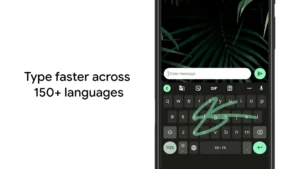
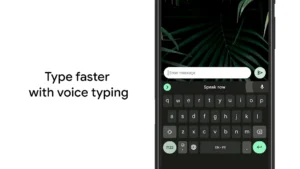
The primary strength of Gboard – the Google Keyboard is the variety of input methods it offers. Glide Typing allows you to slide your finger from letter to letter to form words, which is often much faster than tapping individual keys. If you prefer speaking, the voice typing feature lets you dictate text accurately while you are on the go. You can also use handwriting for both cursive and printed letters, providing flexibility for different typing styles.
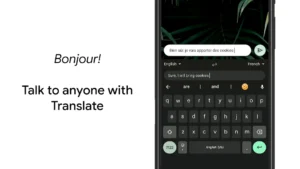
Managing multilingual conversations is simple with this app. It supports hundreds of language varieties and automatically suggests words from your enabled languages without requiring you to switch keyboards manually. Integration with Google Translate means you can translate your text directly as you type. If you need to manage files while you type, you might find ZArchiver Pro Donate helpful for your device organization.
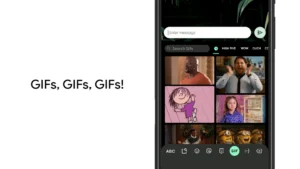
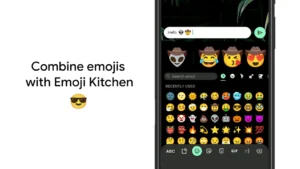
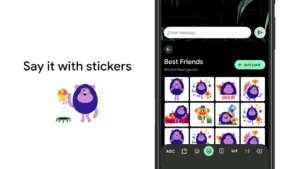
For those who enjoy visual communication, the app includes an emoji search and a GIF search, making it easy to find the perfect reaction for any chat. Recent updates even allow Pixel 9+ users to create and share custom stickers quickly. If you happen to play games and need to type commands, tools like Minecraft Java: PojavLauncher work well with the keyboard’s input capabilities.
Getting started and permissions
To begin using Gboard – the Google Keyboard, simply install the APK and set it as your default input method in your device settings. The app requires several permissions to function correctly. It needs access to your contacts to provide suggestions and your microphone for voice typing. Permissions like internet access and network state are required for features like translation and GIF searches, while storage access allows the app to read your media for sticker sharing.
Quick facts
Strengths and limitations
- Reliable performance and fast glide typing.
- Support for hundreds of languages and Wear OS.
- Built-in translation and emoji search tools.
- Requires several permissions for full functionality.
- Some features like handwriting are not available on Android Go devices.
Who should use this keyboard?
This keyboard is ideal for anyone who wants a fast, versatile typing experience that supports multiple languages and advanced input methods. It is a great choice for Wear OS users who want to reply to messages directly from their watch. If you prefer a very lightweight app with minimal permissions, you might find the extensive feature set of this keyboard more than you need.
Is Gboard – the Google Keyboard free?
Yes, the app is free to download and use on your Android device.
Does it work offline?
Many features, including the keyboard itself and basic typing, work offline. However, features like Google Translate and GIF searches require an internet connection.
Which Android version is required?
The developer does not specify a minimum Android version for this release.
