


Microsoft Bing Search 34.4.441110006
Microsoft Corporation
November 22, 2026
145.7 MB
34.4.441110006
com.microsoft.bing
RELATED APPS






SCREENSHOTS
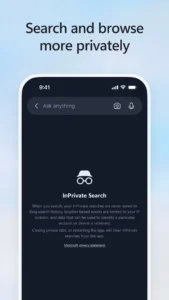

DESCRIPTION
Discover AI-Powered Search with Microsoft Bing Search
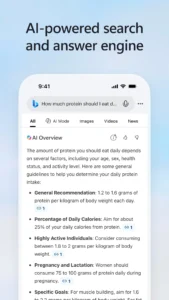
Microsoft Bing Search is a comprehensive mobile tool developed by Microsoft Corporation that brings intelligently curated information directly to your Android device. By combining traditional web search with advanced generative AI, the app helps you find specific answers, summaries, and web links without needing to browse through multiple pages. Whether you are looking for quick facts or exploring complex topics, Microsoft Bing Search simplifies the way you interact with the internet.
Key Features for Smarter Browsing
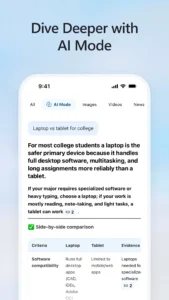
The core of the experience is the integrated AI capability. You can access AI mode directly from the home screen to receive curated answers and summaries for your questions. This reduces the time spent hunting across different websites. The app also features a redesigned camera search, which allows you to search, translate text, or solve problems simply by snapping a picture. If you prefer to use your voice, you can tap the microphone icon to perform searches hands-free.
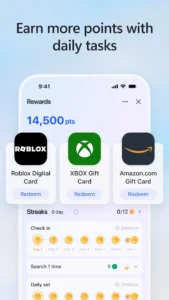
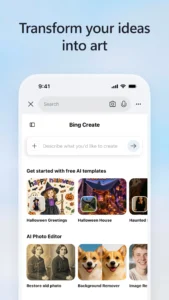
Beyond searching, the app provides tools for creativity and personalization. You can use the Image Creator to generate unique visuals from text prompts. For your daily needs, the app displays weather forecasts and offers a collection of high-quality wallpapers that match the iconic Bing homepage aesthetic. If you are looking for other utilities, you might also enjoy using ZArchiver Pro Donate for managing your device files. Users can also earn points through Microsoft Rewards simply by using the search function, making the discovery process more engaging.
Getting Started and Permissions
To begin, install the Microsoft Bing Search APK on your Android device. Upon opening the app, you may be prompted to sign in to your Microsoft account to sync your preferences and track your rewards. Because the app offers extensive functionality, it requests several permissions. These include location access for local search results, camera and microphone access for visual and voice searches, and storage permissions to handle images or files. It also requires access to your contacts, calendar, and phone state to provide personalized assistance.
Quick Facts
Strengths and Limitations
Strengths:
- Integrates AI-powered summaries for faster information retrieval.
- Versatile visual and voice search capabilities.
- Microsoft Rewards program allows you to earn while you search.
Limitations:
- The app is supported by ads.
- Requires a wide range of device permissions to function fully.
- Certain features may not be available in all geographic markets.
Who Should Use This App
Microsoft Bing Search is ideal for users who want a multifunctional search tool that goes beyond simple text queries. It is particularly useful for those who want to leverage AI for research or enjoy creative tools like image generation. If you prefer a minimalist search experience or do not want to grant extensive permissions, you might find the app too feature-heavy. For gaming enthusiasts looking to run Java titles, consider checking out Minecraft Java: PojavLauncher instead.
Frequently Asked Questions
Is Microsoft Bing Search free to download?
Yes, the app is free to download and use, though it includes advertisements.
Can I use the search features offline?
No, the app requires an active internet connection to retrieve search results and provide AI-generated answers.
Does it work on all Android versions?
The app is compatible with most modern Android devices, though specific performance may vary based on your device configuration.
