


Kimi 3.1.8
Moonshot AI
November 23, 2026
77.8 MB
3.1.8
Android 8.0
com.moonshot.kimichat
RELATED APPS






SCREENSHOTS
DESCRIPTION
Explore the Capabilities of Kimi
Kimi is a versatile AI assistant developed by Moonshot AI designed to help you tackle complex tasks through natural language interaction. Whether you need to generate 3D game environments, code websites, or manage professional documents, this tool provides a unified platform to streamline your workflow. With over 5 million installs, it has become a popular choice for users looking to leverage artificial intelligence for creative and analytical projects.
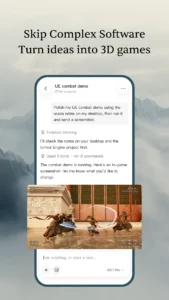
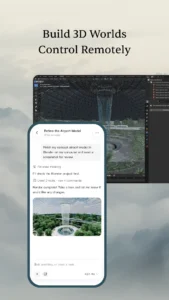
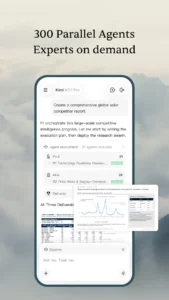
The app offers a wide range of features powered by the K3.1 Pro engine. You can use the 3D game maker to generate multiplayer experiences complete with combat systems and levels simply by describing your vision. If you need to build digital assets, the 3D modeling tool creates detailed objects or scenes from your text prompts, allowing you to refine the appearance through ongoing conversation. For those managing large-scale projects, the Agent Swarm feature coordinates up to 300 AI agents to handle research and analysis across thousands of parallel steps.
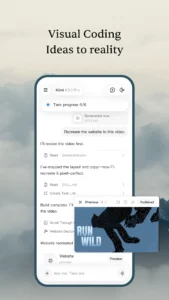
Managing office work is equally straightforward with Kimi. The Office Agent module allows you to convert file formats like PDF to Word or Excel, and you can even generate complex Excel formulas or charts from your data. If you are preparing presentations, the AI Slides feature creates professional layouts based on your topics or visual references. You can also utilize Vibe Coding to turn your website ideas into functional code by describing layouts and animations. For advanced research, the app connects to authoritative sources like Wind and S&P to ensure your analysis is based on reliable data.
To get started, simply download the Kimi APK and sign in to your account. The app keeps your conversations, files, and progress synchronized across all your devices in real time. You can also use the Remote Control feature to manage tasks on your computer directly from your phone. If you need to manage your system files while using this AI tool, you might also find ZArchiver Pro Donate useful for handling archives. Additionally, if you enjoy exploring complex software on your device, you could try Minecraft Java: PojavLauncher for a different type of technical interaction.
| Version | 3.1.8 |
| Developer | Moonshot AI |
| Updated | Nov 12, 2026 |
Strengths and Limitations
Strengths:
- Comprehensive AI tools for 3D creation, coding, and document processing.
- Real-time synchronization across multiple devices.
- Capability to coordinate large-scale research using multi-agent systems.
Limitations:
- Requires an active internet connection for many AI-driven features.
- Account sign-in is necessary to access synchronization and project history.
Who Should Install Kimi
This app is ideal for students, researchers, and developers who need a multi-functional AI assistant to handle diverse tasks. If you frequently work with documents, require creative 3D assets, or want to automate complex data analysis, this tool offers significant utility. Users who prefer to keep their project progress updated across phones and computers will appreciate the sync features. If you are looking for simple offline tools, this app may not meet your requirements.
Is Kimi free?
The app is available for download and use, though specific pricing models for advanced features are determined within the application.
Does it work offline?
No, the app requires an internet connection to access its AI engines and external data sources.
What is the latest version?
The version available is 3.1.8.
