


Google Meet 385.0.1017135894.duo.android_20261109.02_p0
Google LLC
November 22, 2026
71.1 MB
385.0.1017135894.duo.android_20261109.02_p0
com.google.android.apps.tachyon
RELATED APPS






SCREENSHOTS



DESCRIPTION
Connect with Anyone Using Google Meet APK
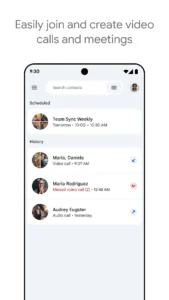
Google Meet is designed for anyone needing a reliable way to connect through high-quality video calling. Whether you are catching up with family or collaborating on a professional project, this tool provides a secure environment for your conversations. Developed by Google Commerce Ltd, it ensures that your video calls remain clear and consistent across different network conditions. Millions of users rely on this platform for its stability, making the Google Meet APK an essential utility for your Android device.
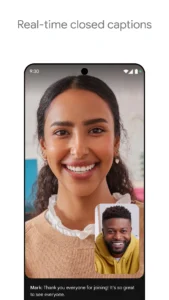
The application focuses on accessibility and clarity. You can use automatic light adjustment and noise cancellation to ensure you look and sound your best during meetings. If you are looking for other ways to stay connected, you might also consider using Telegram for your messaging needs. Google Meet also offers real-time captions to help everyone follow along, making it easier to communicate in noisy environments or when you need to be quiet.
Beyond basic calling, you can express yourself using various filters, reactions, and virtual backgrounds. Premium features are also available, including AI-powered note-taking and real-time speech-to-speech translation. These tools are designed to help you focus on the conversation while overcoming language barriers. For those who need to browse the web alongside their communication tools, Google Chrome: Fast & Secure remains a standard choice for Android users. The Google Meet experience is built to be intuitive, ensuring that you can start or join a call with minimal effort.
Getting Started with Your Meetings
To start using the app, download the Google Meet APK and install it on your device. Upon first launch, you will need to grant several permissions to ensure full functionality. The app requires access to your camera and microphone for video and audio calls, as well as access to your contacts to make it easy to find people you know. It also uses network state permissions to maintain a stable connection during your calls.
Because the app integrates with your device’s core features, it requests permissions for Bluetooth connectivity, phone status, and notification management. These allow you to handle incoming calls and use audio accessories without interruption. The app manages account authentication to link your profile securely, ensuring your meeting history and settings remain consistent. Additional system permissions like wake lock, vibration control, and read/write access for storage and call logs are requested to manage the full suite of communication tools effectively. The app also uses foreground services to maintain active calls and data sync tasks, ensuring you do not miss important incoming communication or video streams.
Quick Facts
Strengths and Limitations
Strengths:
- High-quality video and audio performance for all users.
- Helpful accessibility features like real-time captions.
- Fun customization options including backgrounds, filters, and reactions.
- Secure infrastructure for private and team communication.
- Extensive device support for varied Android hardware.
- Large user base with over 10 billion installs.
Limitations:
- Some advanced features like meeting recording and AI translation require a premium subscription.
- Noise cancellation is restricted to premium users.
- Feature availability may vary depending on your specific device hardware.
- Live captions and speech translation are not available in every language.
- The app requires a significant number of permissions to provide its full range of integrated features.
Frequently Asked Questions
Is Google Meet free to use?
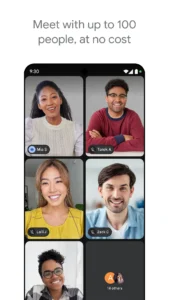
Yes, the core video calling service is free for all users.
Yes, features such as AI-powered note-taking, speech-to-speech translation, meeting recording, and noise cancellation are available as part of a premium plan.
Does it work on all Android devices?
The app is widely compatible, but specific feature availability may vary based on your device specifications.
What permissions does the app need?
The app requires access to your camera, microphone, contacts, and network status to facilitate high-quality, secure video calls.
