


Brave Private Web Browser, VPN 1.99.57
Brave Software
November 22, 2026
259.0 MB
1.99.57
Android 10
com.brave.browser
RELATED APPS






SCREENSHOTS

DESCRIPTION
Explore Features of Brave Private Web Browser, VPN APK
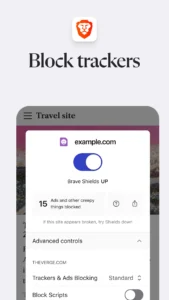
Brave Private Web Browser, VPN is a mobile application developed by Brave Software that focuses on speed and user privacy. Designed to help you browse the internet safely, it includes a built-in ad blocker and tracking protection to keep your information secure. With over 100 million installs, it offers a distinct approach to online navigation by removing intrusive ads and protecting your data from trackers. By replacing traditional tracking methods with a privacy-first model, the browser aims to change how users interact with the online advertising ecosystem. The application is designed to be a comprehensive tool for secure mobile navigation.
This browser stands out by offering several privacy-focused tools directly in your pocket. The app includes Brave Leo, an AI assistant that can answer questions, summarize pages, and translate languages without recording your chats. You also get access to an independent search engine that does not build a profile of your activity or track your habits. For those looking to keep their digital habits separate, you might also consider testing the Google Chrome: Fast & Secure app to compare performance and features. The browser also includes a Firewall and VPN for added security.
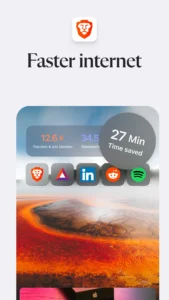
The browser is built to be fast, often reducing page loading times by blocking unwanted scripts and malware-infected ads. It includes features like HTTPS Everywhere, which ensures your data traffic is encrypted whenever possible. If you prioritize communication alongside your browsing, you might want to look at the Telegram messaging service for secure cloud-based chats. Brave Private Web Browser, VPN also allows you to sync bookmarks securely across your devices, making it simple to keep your favorite sites organized while maintaining your privacy. The browser also removes tracking codes when you copy URLs to keep your sharing activities private.
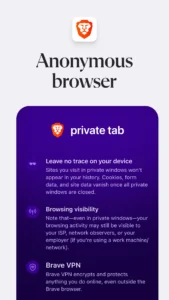
To get started, download the Brave Private Web Browser, VPN APK and install it on your device. The app requires access to several permissions to function, including your camera for specific web tasks, microphone access for voice features, and location data to provide relevant search results. It also requests permission to manage your files, use biometric data like fingerprints to secure private tabs, and run foreground services to keep the VPN active. Once installed, you can sign in to sync your bookmarks or use the browser anonymously without saving any history. The browser also manages cookie consent notifications automatically, blocking them by default to provide a cleaner reading experience for all users.
Strengths and Limitations
Strengths:
- Built-in ad and pop-up blocker enhances page loading speeds.
- Includes a free AI assistant, Brave Leo, and an independent search engine.
- Strong privacy features like HTTPS Everywhere and script blocking.
- Allows for secure bookmark syncing and private incognito tabs.
- Night mode ensures comfortable reading in low-light environments.
- Global Privacy Control enabled by default to prevent tracking.
Limitations:
- Requires a large list of permissions to access device hardware and settings.
- The app contains ads, though it blocks third-party trackers and provides privacy-focused rewards.
- File size is relatively large at 259.0 MB, which may impact storage on some devices.
- Requires Android 10 or higher for full compatibility.
Who should use this app?
This browser is ideal for anyone who wants to minimize tracking and avoid ads while surfing the web. It is well-suited for users who value privacy-first tools and want an AI assistant integrated into their daily workflow. If you prefer a browser with a minimal footprint or are using an older device that does not meet the Android 10 requirement, you may want to skip this app.
Frequently Asked Questions
Is Brave Private Web Browser, VPN free to use?
Yes, the app is free to download and use. It features an ad-based model that aims to protect user privacy while supporting content creators through a revenue-sharing solution.
Does it work offline?
While the browser requires an active internet connection to load new web pages, you can access your saved bookmarks and previously loaded tabs when offline.
Which Android version is required?
The app requires Android 10 or higher to function on your device.
