


RELATED APPS






SCREENSHOTS
DESCRIPTION
Getting Started with Zello PTT Walkie Talkie APK
To begin using Zello PTT Walkie Talkie, you must first download the installation file and grant the necessary device permissions. The app requires access to your microphone and network state to function as a real-time radio device. It also requests location access, contact reading, and Bluetooth management to support headset pairing and channel discovery. Once you have the Zello PTT Walkie Talkie APK installed on your device, you can quickly set up your user profile and join public or private channels to start communicating instantly with others. The setup process is straightforward, allowing you to configure your status and availability immediately after the first launch.
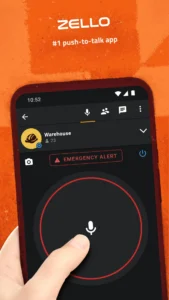
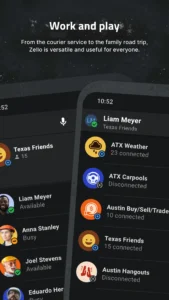
This application serves as a high-quality, low-latency communication tool designed to mimic professional radio equipment. You can map a physical button on your Android device to trigger the Push-To-Talk feature, which creates a traditional radio experience. Whether you need to coordinate with a specific group or join a public discussion, Zello PTT Walkie Talkie works over WiFi, 2G, 3G, and 4G data connections. It supports massive groups of up to 6,000 users, making it a powerful tool for large-scale coordination or casual social interaction. The recent update further improves this experience by refining audio-routing options for Bluetooth headsets and reorganizing the interface menus for better usability.
Core Features for Instant Communication
The primary strength of Zello PTT Walkie Talkie lies in its real-time voice streaming. Unlike standard phone calls, the app uses a proprietary protocol designed for speed and audio clarity. You can check the availability status of your contacts before sending a message or joining a conversation. If you are looking for other ways to stay in touch, you might also consider Telegram for your messaging needs.
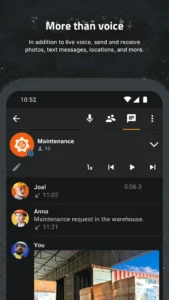
Key features include detailed voice history, which allows you to review past transmissions, and call alerts to ensure you never miss an urgent message. The app also supports image sharing and push notifications to keep you updated. If you prefer a browser-based communication experience, you can compare this with Google Chrome: Fast & Secure to see how different apps manage your data. Because the app supports a wide range of hardware, including specialized PTT buttons, it offers a level of control that standard messaging apps simply cannot provide.
Quick Facts
Strengths and Limitations
Strengths:
- High-quality, low-latency voice transmission.
- Support for large channels with up to 6,000 users.
- Hardware PTT button mapping for an authentic radio feel.
- Broad compatibility with various network types including mobile data and WiFi.
- Regular updates to improve audio-routing and menu organization.
Limitations:
- Requires a wide range of system permissions to operate effectively.
- Not interoperable with other PTT services like Voxer or Sprint Direct Connect.
- Advanced live location tracking features are restricted to Zello Work users.
- Size of 81.9 MB may be significant for devices with limited storage.
Who Should Use This App
This app is ideal for teams, hobbyists, and groups who need constant, instant voice contact without dialing numbers. It is a great fit if you prefer the walkie-talkie style of communication over traditional text or voice calls. However, if you require cross-platform interoperability with other PTT services, you may find the current limitations restrictive. Users who prioritize speed and group connectivity will find the most value here. The application is designed to be a flexible tool, catering to both the free public service and professional enterprise environments through private server support.
Frequently Asked Questions
Is Zello PTT Walkie Talkie free to use?
Yes, the app provides a free public service for all users.
Does it work offline?
No, the app requires an active internet connection via WiFi or mobile data to transmit voice.
Can I use my Bluetooth headset?
Yes, the latest version includes improved audio-routing options specifically for Bluetooth headsets.
How many people can join a channel?
Public and private channels support up to 6,000 users simultaneously.
