

Gmail 2026.11.09.1019722178.Release
Google LLC
November 22, 2026
130.4 MB
2026.11.09.1019722178.Release
com.google.android.gm
RELATED APPS






SCREENSHOTS
DESCRIPTION
Managing Your Inbox with Gmail APK
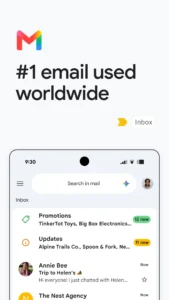
For those who rely on email for both personal communication and professional tasks, the Gmail app is the primary tool for staying organized. Developed by Google Commerce Ltd, this application provides a centralized hub for managing multiple email accounts directly on your Android device. Whether you are using a phone, tablet, or Wear OS watch, it offers a consistent experience designed to keep you productive throughout the day. It functions as the official gateway to your Google Workspace, combining email, chat, and collaborative spaces in one location.
Core Communication Features
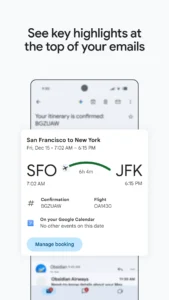
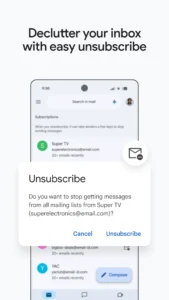
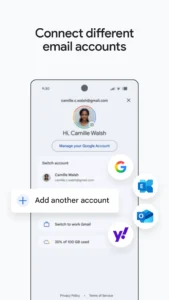
The Gmail app goes beyond basic message sending and receiving. It integrates with the broader Google Workspace ecosystem, allowing you to chat, collaborate in spaces, and initiate voice or video calls without switching between different apps. You can easily switch between accounts from various providers, ensuring that all your messages are accessible in one location. Summary cards at the top of your emails help you find the specific details you need quickly, while the ability to unsubscribe from unwanted senders in one place helps keep your inbox clean.
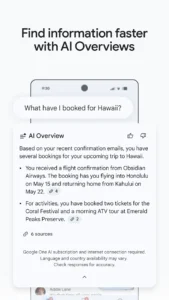
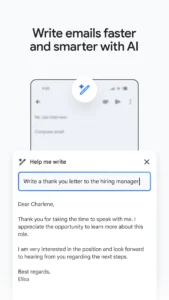
To help you save time, the app includes powerful AI-driven tools. You can use Gemini to help you write emails, generate smart replies, and search for specific details within your inbox or your Google Drive files. For those who need to manage their schedule, the ‘Add to Calendar’ button lets you create invites instantly from your emails. Furthermore, the app provides a secure environment by automatically blocking more than 99.9% of spam, phishing, and malware, keeping your data protected and confidential.
Getting Started and Permissions
Installing the Gmail APK is simple. Once you have the app on your device, you will need to sign in with your Google account to sync your data. Because this app serves as a comprehensive communication hub, it requests a wide range of permissions. These include access to your contacts, calendar, and storage to manage attachments, as well as microphone and camera access for integrated video and voice calls. The app also uses network state and Bluetooth permissions to maintain connectivity and support external device integration, such as your smartwatch. These permissions ensure that features like real-time notifications and cross-device sync function as intended.
Quick Facts
Strengths and Limitations
The app is highly effective for users who want a unified communication experience. Its strengths include:
- Advanced AI writing and search assistance via Gemini.
- Security features that block the vast majority of digital threats.
- Multi-account management across different providers.
- Wear OS support for managing messages from your wrist.
However, there are some limitations to consider:
- Certain advanced AI features require a paid subscription plan.
- The app requests a high number of permissions to enable all integrated functions.
- The base application is supported by advertisements.
If you prefer alternative messaging platforms for your daily interactions, you might consider Telegram for its cloud-based chat features. Additionally, for your web browsing needs, Google Chrome: Fast & Secure remains a reliable companion for accessing your web-based email accounts if you choose not to use the app.
Is the app free to use?
Yes, it is free to download and use. However, it is ad-supported, and some premium AI features require an additional Google AI Pro or Ultra plan.
Does it work offline?
The app allows you to view previously synced emails while offline. You can also draft messages, which will be sent automatically once your device regains an internet connection.
Can I use it on my smartwatch?
Yes, Gmail is available on Wear OS. You can add a complication or tile to your watch face to get a quick overview of your inbox.
