


Android Accessibility Suite 17.1.0.1003738110
Google LLC
November 22, 2026
46.0 MB
17.1.0.1003738110
com.google.android.marvin.talkback
RELATED APPS






SCREENSHOTS
DESCRIPTION
Getting Started with Android Accessibility Suite
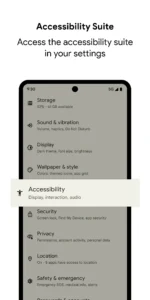
Android Accessibility Suite is a collection of tools designed by Google Commerce Ltd to help you use your Android device eyes-free or with a switch device. To begin using these features, open your device settings, tap on Accessibility, and select the specific tool you need, such as the Accessibility Menu, Select to Speak, or the TalkBack screen reader.
The app requires various permissions to function correctly. For example, it needs the Phone permission to observe your call status and adapt announcements accordingly. Because it operates as an accessibility service, Android Accessibility Suite can observe your actions, retrieve window content, and read the text you type. Other permissions like Bluetooth, record audio, and write settings allow the suite to interact with external hardware and system configurations to improve your user experience.
Core Features for Enhanced Control
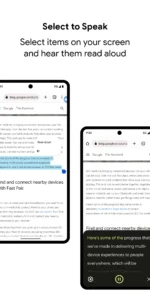
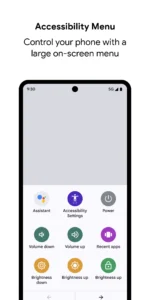
The suite provides several key tools to assist with daily navigation. The Accessibility Menu places a large, easy-to-use interface on your screen, allowing you to lock your phone, adjust volume and brightness, or take screenshots with a single tap. If you need help reading content, the Select to Speak feature lets you highlight items on your screen to hear them read aloud.
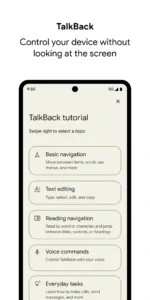
The TalkBack screen reader is the most comprehensive component, offering spoken feedback and gesture-based device control. It even supports an on-screen braille keyboard for typing. Recent updates include improved text selection, voice selection settings, and better support for physical keyboards in various languages. If you are looking for other utilities to manage your device, you might also be interested in ZArchiver Pro Donate for file management or Minecraft Java: PojavLauncher to run Java games on your phone.
Quick Facts
Strengths and Limitations
Strengths:
- Comprehensive suite of accessibility tools in one package.
- Supports gesture control and braille input.
- Regular updates with performance improvements.
- Free to use with no hidden costs.
Limitations:
- Requires extensive system permissions to function.
- TalkBack for Wear requires Wear OS 3.0 or later.
- Some features may require specific hardware interactions.
Frequently Asked Questions
Is Android Accessibility Suite free?
Yes, Android Accessibility Suite is completely free to use.
Does this app work offline?
Many features of the suite function offline, though some permissions like Internet access are required for updates and certain service integrations.
Which Android versions are supported?
The suite requires Android 7 (Android N) or later for standard use, while the Wear OS features require version 3.0 or later.
