


iMe: TG AI Messenger 13.2.2
Google Commerce Ltd
November 20, 2026
172.7 MB
13.2.2
com.iMe.android
RELATED APPS






SCREENSHOTS




DESCRIPTION
Why choose iMe: TG AI Messenger APK for your device?
Are you looking for a more powerful way to manage your messaging? iMe: TG AI Messenger is an unofficial client built on the Telegram API, designed to provide a more stable and feature-rich experience. By using your existing account, you can access your chats, groups, and channels with added tools that go beyond the standard application. This iMe: TG AI Messenger client integrates artificial intelligence, crypto wallet support, and advanced account management into a single interface. It is built for users who want a stable connection without lags or dropped messages.
What features does this messenger offer?
The app introduces several enhancements to help you communicate. You can manage up to 30 accounts within a single installation, allowing you to switch between work, personal, and anonymous profiles without needing to log out. The built-in AI assistant, powered by models like ChatGPT-5, Claude, Gemini, and DeepSeek, helps you summarize long messages, translate text, and generate images with Nano Banana Pro. You can even use AI roles such as Agent, Assistant, or Creator to help with your daily tasks.
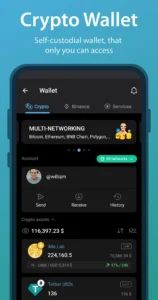
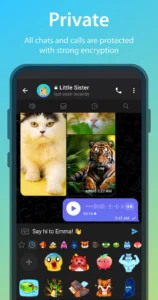
Security is a priority for the developers. iMe: TG AI Messenger includes local security tools, secret chats, and the ability to hide accounts or specific conversations behind a passcode. Additionally, it features an integrated non-custodial crypto wallet that supports EVM-compatible blockchains, enabling you to manage tokens directly within your messaging environment. The app also includes built-in antivirus file scanning to protect your device from harmful content.
Getting started with the installation
To begin, download the iMe: TG AI Messenger APK and follow the standard installation prompts on your Android device. Upon opening the app, you will sign in using your existing account credentials. The app requests various permissions to function, such as access to your contacts for messaging, microphone and camera for calls, and storage access to manage your files and media. It also requires network access to maintain your connection, location access for specific features, and notification permissions to keep you updated on new messages. Biometric permissions are also requested to allow you to use your fingerprint for secure access to hidden chats.
Quick facts
Strengths and limitations
- Manage up to 30 accounts in one app.
- Advanced AI tools for translation, summarization, and image creation.
- Integrated crypto and Web3 wallet for token management.
- Strong privacy options like hidden chats and passcode protection.
- Includes built-in antivirus file scanning.
- The app is free but contains advertisements.
- Certain advanced features require an iMe Premium subscription.
- Requires a wide range of permissions for full functionality.
Who is this app for?
This client is ideal for users who rely heavily on messaging and want to consolidate multiple accounts or utilize AI tools for productivity. If you are a fan of Telegram but find yourself needing more customization, this could be a suitable alternative. However, if you prefer a minimalist interface or do not require extra features like crypto wallets, you may find the standard app sufficient. Users who frequently use a web browser for research alongside their messaging may also appreciate the AI summary tools for quickly digesting long articles shared in chats.
Is the app free to use?
Yes, the app is free to download and use. There are also optional Lite and Premium tiers available that remove advertisements and provide full access to all AI tools and the Marketplace.
Does it work offline?
Like many messaging clients, it requires an active internet connection to sync messages, contacts, and AI responses. You can view previously cached data offline, but new updates require network access.
Can I use my existing account?
Yes, you sign in with your current account details. All your existing chats and channels will appear automatically within the interface.
