


Messenger 588.1.0.66.98
Google Commerce Ltd
November 20, 2026
164.9 MB
588.1.0.66.98
com.facebook.orca
RELATED APPS






SCREENSHOTS
DESCRIPTION
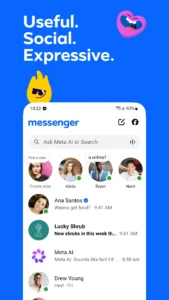
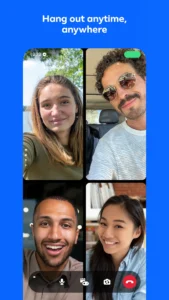
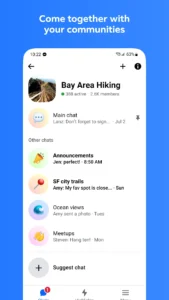
Messenger is a free communication tool designed to help you connect with people anywhere in the world. Whether you need to reach family members or join interest groups, this app provides a central space for your messages, calls, and shared moments. Many users choose to download the Messenger APK because it allows you to build your community and share your vibe through a variety of interactive features. By centralizing your social interactions, you can manage your daily communication needs in one place.
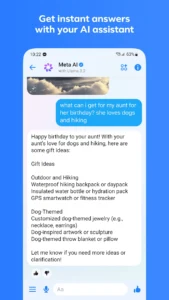
The app offers comprehensive functionality for your daily interactions. You can chat and call anyone without needing a phone number, provided they are on Facebook or the platform itself. With the inclusion of Meta AI, you gain an assistant capable of answering questions, offering advice, and assisting with creative tasks like image editing or animation. This integration ensures that you have a helpful companion right within your messaging interface.
Key features for your daily communication
Messenger makes sharing media simple and clear. You can send high-definition photos to ensure your favorite moments look crisp. For group coordination, the app supports shared albums, allowing you to organize photos and videos from vacations or events directly within your group chats. You can also send large files, such as PDFs or Excel documents, up to 100MB in size. If you are looking for an alternative for secure cloud-based conversations, you might also want to check out Telegram.
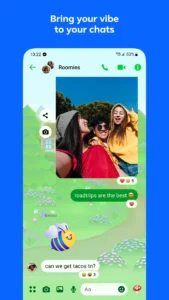
Communication is made more flexible with editing tools. If you send a message too quickly, you have up to 15 minutes to edit the text. For privacy, you can utilize disappearing messages in end-to-end encrypted chats, giving you control over how long your content remains visible. You can also express yourself using animated stickers, GIFs, and reactions when words are not enough. If you need to search for information while chatting, you can use Google Chrome: Fast & Secure to complement your communication flow.
Getting started and app permissions
To begin, install the latest version of the Messenger APK on your Android device. Upon setup, the app requests many permissions to function correctly. These include access to your camera and microphone for calls, storage permissions for sending photos and documents, and location access to help you share your whereabouts. It also requests contact access to help you find friends easily. Because it is a communication platform, it requires access to system services like phone state and notifications to alert you of incoming messages. Always review these settings in your device menu to ensure they align with your privacy preferences.
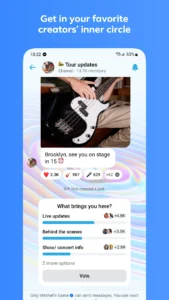
Beyond simple messaging, you can use broadcast channels to get into the inner circle of your favorite creators. This feature lets you stay in the know with authentic and casual content directly from the people you follow. Whether you are sharing your day through Stories or dropping a quick note, the app provides tools to keep your social life active.
Quick facts
Strengths and limitations
Strengths:
- Free to use for messaging and calling.
- Supports high-definition photo sharing and large file transfers.
- Includes Meta AI for productivity and creative assistance.
- Customizable chat themes and expressive tools like stickers and GIFs.
Limitations:
- Requires numerous system permissions for full functionality.
- Meta AI features are currently limited to select languages and countries.
- Large file size of 165 MB may require significant storage space.
Frequently Asked Questions
Is Messenger free to use?
Yes, the app is free to download and use for messaging and calling your connections.
Does it work offline?
The app requires an internet connection to send and receive messages, make calls, and sync your data across devices.
Can I edit messages after sending them?
Yes, you can edit your sent messages up to 15 minutes after they have been delivered.
