


Plus Messenger 13.2.2.1
Google Commerce Ltd
November 20, 2026
65.6 MB
13.2.2.1
org.telegram.plus
RELATED APPS






SCREENSHOTS
DESCRIPTION
Managing your chats with Plus Messenger APK
If you feel overwhelmed by a cluttered inbox, Plus Messenger offers a way to organize your communication. This unofficial messaging app uses the official Telegram API to provide extra tools that help you manage chats, groups, and channels. With over 50 million installs, it is a popular choice for users who want more control over their messaging experience. The Plus Messenger APK provides a stable and feature-rich environment for your daily conversations, ensuring you stay connected with exactly the tools you need.
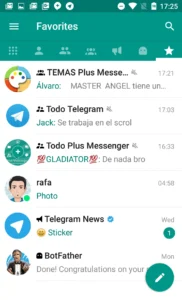
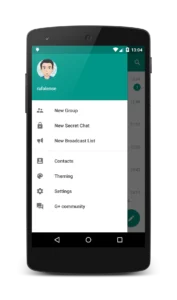
The app introduces several features not found in standard clients, such as separated tabs for different types of messages. You can categorize your chats into groups like work, family, or sports, and even save these categories for later. The ability to increase the number of pinned chats to 100 ensures that your most important conversations are always within reach. You can also handle up to 10 accounts simultaneously, making it easier to switch between personal and professional profiles. This Plus Messenger APK file allows you to maintain multiple identities within a single interface, while the new sidebar in forums and saved messages makes navigation even faster.
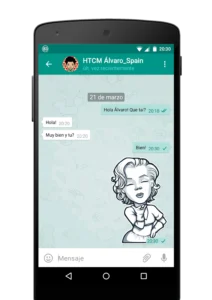
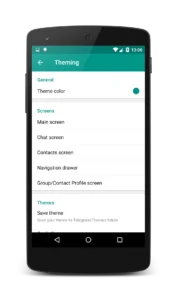
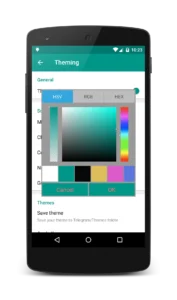
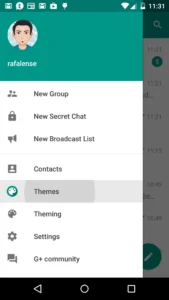
Customization is a core focus of this app. You can choose from over 10 different bubble and check designs, change the app theme, and even use your own phone fonts and emojis. If you want a cleaner look, the new compact mode removes message bubbles entirely. To keep your information private, you can hide your mobile number from the navigation menu and display your username instead. You can also set photo quality before sending images, and the app now features faster video encoding to ensure you maintain complete control over your data usage and media sharing.
To get started, simply download and install the Plus Messenger file. Since it acts as a client, you will sign in using your existing account. The app requires several permissions to function, including access to your contacts to sync your chat list, camera and microphone access for sending media, and location permissions to share your position if needed. It also manages storage to save documents and images directly to your device. You can learn more about official standards by checking out the Telegram messaging platform, which this app builds upon.
The app remains free to use, though it includes advertisements. Whether you need better organization for large group chats or want to customize your interface, this tool provides a flexible alternative. For your daily web browsing needs, you might also consider using Google Chrome: Fast & Secure to keep your online activities smooth. By using the Plus Messenger APK, you gain access to advanced settings like chat counters, quick switches between chats, and the ability to forward messages without quoting original authors, all while enjoying updated home screen widgets.
Strengths and limitations
- Plus Messenger features advanced chat categorization and multi-account support.
- High level of interface customization, including fonts, emojis, and theme colors.
- The app is free but contains advertisements.
- Requires numerous permissions, including access to contacts, storage, and location.
Additional Features
- Increased limit of pinned chats to 100.
- Support for up to 10 accounts simultaneously.
- Ability to show user bio directly in chat.
- Floating notifications for online status and typing activity.
- Improved layout support for tablets and foldable devices.
Who should use this app?
This app is ideal for power users who manage many groups or channels and want to organize them into tabs. It is a great choice for people who need advanced message forwarding or specific photo quality settings. Users who prefer a minimalist, ad-free experience may want to look elsewhere, as this app is supported by ads and offers a very dense interface.
Frequently Asked Questions
Is Plus Messenger free to download?
Yes, the app is free to download and use, though it is supported by advertisements.
Does it work offline?
You can view previously cached messages while offline, but you need an active internet connection to send or receive new messages.
Which Android version is required?
Specific minimum Android version requirements are not provided, but it is compatible with a wide range of modern devices.
