

Quetta - Video Private Browser 2.2.1
Google Commerce Ltd
November 21, 2026
253.2 MB
2.2.1
net.quetta.browser
RELATED APPS






SCREENSHOTS


DESCRIPTION
Why choose Quetta – Video Private Browser APK?
Are you looking for a more powerful mobile browsing experience? Quetta – Video Private Browser is a Chromium-based app designed to give you more control over your web activity. It includes built-in tools for media management and privacy that you might not find in standard browsers. With over 1 million installs, it has become a popular choice for users who want a balance between speed and advanced customization. By choosing the Quetta – Video Private Browser APK, you gain access to a browser that prioritizes your needs while maintaining high performance standards. The latest version brings updated Chromium architecture to ensure your mobile browsing remains fast and secure.
What can you do with this browser?
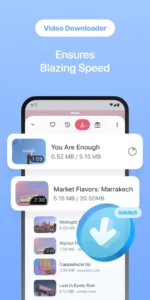
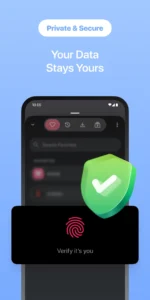
Quetta – Video Private Browser offers several features that make it stand out. The built-in video downloader allows you to save media from supported websites, provided you have the authorization to do so. You can manage these files easily with the integrated download manager and use convenient gestures to control brightness and volume during playback. The browser is built on Chromium, ensuring fast page loading and reliable compatibility with modern websites. Privacy is a key focus here, as the app comes with an ad blocker and tracker protection enabled by default. This combination helps remove intrusive pop-ups and prevents websites from identifying your device through fingerprinting. If you need to stay in touch while browsing, you might also consider Telegram for your secure messaging needs.
Bringing Chrome features to your phone
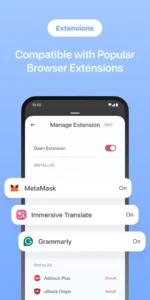
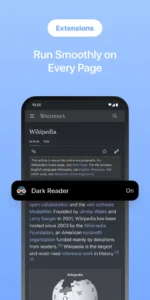
One of the most requested features for mobile is the ability to use extensions. The Quetta – Video Private Browser APK supports both Chrome Web Store and Edge Add-ons, allowing you to bring your favorite desktop tools to your mobile device. You can install and manage these extensions directly within the browser, making it a great alternative to Google Chrome: Fast & Secure for those who need specific productivity or privacy add-ons. The interface is also highly customizable, letting you move the address bar or change toolbar layouts to fit your preferences. You can even group shortcuts on your start page to keep your most visited sites organized, and you have the option to hide the Quetta logo for a cleaner look.
Getting started and permissions
To install the app, ensure your device allows installations from unknown sources. During use, the browser requests several permissions, including access to your camera and microphone for media features, location services, and storage access to save your downloads. It also uses Bluetooth and NFC for connectivity features. Because this is a powerful tool, it requires various background services to maintain synchronization across your devices and handle your tab history. The app also utilizes foreground services for data syncing and media playback to ensure that your downloads and tab syncing work as intended in the background without interruptions. These permissions collectively enable the browser to perform advanced tasks that standard mobile browsers often cannot handle.
Strengths and limitations
Strengths:
- Supports desktop-style Chrome extensions.
- Powerful built-in video downloader and media controls.
- Strong default ad and tracker blocking.
- High level of interface customization.
- Tab synchronization across multiple devices.
- Includes advanced DevTools for developers.
Limitations:
- Large file size of 253.2 MB.
- Requires many permissions to support all features.
- Video downloading depends on specific website terms.
Who should install this?
This browser is ideal for power users who want advanced control over their mobile web experience. If you frequently use Chrome extensions or need a better way to manage video content on your phone, this is a solid choice. However, if you prefer a very lightweight browser with minimal permissions, you might find the feature set too complex for your needs.
Is Quetta – Video Private Browser free?
Yes, the app is free to download and use.
Does it work offline?
The browser requires an internet connection to load web pages, though you can access your downloaded media files offline.
Can I sync my data?
Yes, the browser supports Google account login and synchronization for your tabs across devices.
What is the latest update?
The latest version includes updated Chromium 154.0.8037.127, improved tab synchronization, and a redesigned start page with groupable shortcuts.
