


Rakuten Viber Messenger Latest
Viber Media
November 17, 2026
Varies with device
Latest
ANDROID
com.viber.voip
RELATED APPS






SCREENSHOTS




DESCRIPTION
Getting Started: First Impressions and Account Syncing
Setting up Rakuten Viber Messenger is a straightforward affair that prioritizes speed and accessibility. Upon installation, the app asks for standard permissions—contacts, camera, and microphone—which are necessary for a full-featured communication tool. The account verification process via SMS is snappy, and the interface immediately feels familiar if you have used other modern messaging clients. Unlike some platforms that struggle with background sync, Viber maintains a consistent connection, ensuring your notifications arrive in real-time without draining your battery excessively.
The Balance of Privacy and Versatility
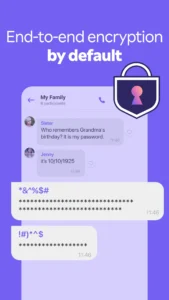
What sets Rakuten Viber Messenger apart is its commitment to end-to-end encryption by default. Whether you are conducting a one-on-one voice call or managing a group discussion, the privacy layer is baked into the foundation. For users who prefer a more robust, cloud-heavy experience, you might also consider comparing this to the secure cloud messaging app features found elsewhere, though Viber’s focus remains firmly on local encryption and user-controlled privacy settings like disappearing messages and hidden chats.
Communication Beyond Basic Text
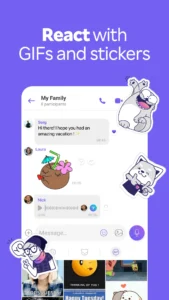
The app offers a surprisingly deep set of tools for daily use. Group calls supporting up to 60 participants work seamlessly, and the inclusion of Viber Out adds a layer of utility for those needing to reach landlines or non-users internationally. The sticker and lens library is extensive, providing a level of personality that keeps conversations engaging. While navigating these features, you might find yourself using the fast secure mobile browser to manage web-based links or news shared within your communities, as the integration between the messenger and your wider Android ecosystem is quite fluid.
Practical Real-World Performance
In daily testing, Rakuten Viber Messenger handles media-rich chats well. Sending high-resolution photos and files doesn’t bog down the UI, and the ability to edit or delete messages after they have been sent is a lifesaver for correcting typos. For power users, the organization tools—such as pinning messages, creating polls, and setting reminders—turn the app from a simple chat tool into a functional workspace. It remains a reliable, feature-dense option for anyone looking to consolidate their international calls, group coordination, and private messaging into one clean, responsive interface.
APP TRAILER
