


Rumble: Stream & Watch Videos 3.23.1
Google Commerce Ltd
November 20, 2026
35.4 MB
3.23.1
com.rumble.battles
RELATED APPS



SCREENSHOTS

DESCRIPTION
Getting Started with the Rumble: Stream & Watch Videos APK
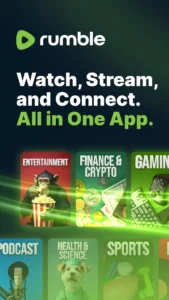
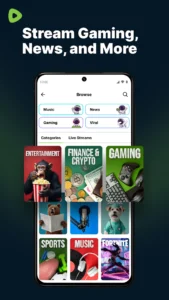
Are you looking for a new space to watch live streams, podcasts, and video content? Rumble: Stream & Watch Videos is a video platform designed to host long-form content, live broadcasts, and short-form videos. You can follow creators, participate in live discussions, and discover trending topics across categories like gaming, sports, and politics. If you want to explore an open platform that supports independent voices, the Rumble: Stream & Watch Videos APK provides a central hub for your media consumption needs on Android. It is built to bring together live streaming, video on demand, and short-form content into one accessible interface.
Key Features and Functionality
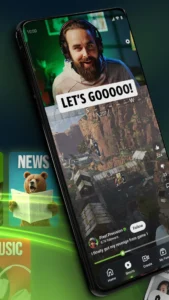
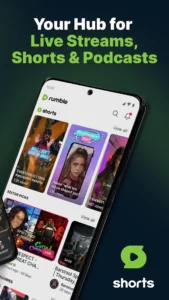
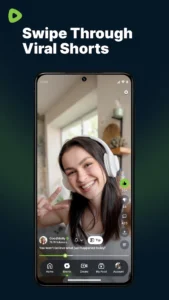
The app offers several tools for both viewers and creators. You can watch live streams as they happen and use the built-in chat feature to talk with other viewers in real time. For shorter content, the platform includes a continuous feed of Shorts, which lets you discover new creators quickly. If you find a creator you enjoy, you can subscribe to their channel to get notifications for their latest uploads. The playback system is designed to help you pick up where you left off, ensuring a smooth experience across different video types.
For creators, the app provides tools to upload and host videos directly on your own channel. You can also use the Rumble: Stream & Watch Videos monetization tools to earn from your content. Viewers can even use the Rumble Wallet to send tips during live streams or on specific videos, offering a direct way to support the creators you value. If you are comparing this to other media tools, you might look at YouTube Go: Discontinued for context on how video platforms manage data and playback.
Installation and Device Permissions
To install Rumble: Stream & Watch Videos, download the APK and follow the prompts on your Android device. You must grant several permissions for the app to function correctly. This includes access to your camera and microphone for creating content, as well as storage permissions to read media files. The app also requires network state and Wi-Fi access to ensure you can stream video without interruptions. You might also want to explore Pure Tuber: YouTube Client if you are interested in different ways to manage your video viewing experience.
Quick Facts
Strengths and Limitations
Strengths:
- Provides a mix of live streams, long-form videos, and short-form clips.
- Includes monetization tools and tipping features for creators.
- Offers a dedicated live chat for community interaction.
- Allows users to follow their favorite creators for instant notifications.
Limitations:
- The app is free but includes advertisements.
- Requires a wide range of permissions, including camera and microphone access.
- Some features may require a user account for full functionality.
- The file size is 35.4 MB, which may impact devices with limited storage.
Who Should Install It?
This app is ideal for users who want to follow independent creators and participate in real-time community chats. It works well for people who enjoy a variety of content types, from gaming streams to political podcasts. If you want a platform that emphasizes creator independence and direct audience support, Rumble: Stream & Watch Videos is a strong choice. However, if you prefer an ad-free experience or want to avoid apps that request extensive device permissions, you may want to look elsewhere.
Frequently Asked Questions
Is Rumble: Stream & Watch Videos free to use?
Yes, the app is free to watch, create, and speak on the platform.
Does the app support live streaming?
Yes, you can both watch live streams as they happen and host your own live broadcasts.
What does the Rumble Wallet do?
The Rumble Wallet allows viewers to send tips directly to creators during live streams or on individual videos.
Which Android version is required?
The developer has not specified a minimum Android version for this release.
