


Screen Recorder - XRecorder 2.5.6.1
Google Commerce Ltd
November 20, 2026
40.8 MB
2.5.6.1
videoeditor.videorecorder.screenrecorder
RELATED APPS



SCREENSHOTS
DESCRIPTION
How do you capture high-quality screen videos with the Screen Recorder – XRecorder APK?
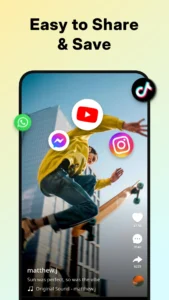
If you need a reliable way to record gameplay, tutorials, or video calls, Screen Recorder – XRecorder offers a comprehensive solution. Developed by Google Commerce Ltd, this application allows you to record your screen smoothly without any time limits or watermarks. It is designed to handle everything from simple screen captures to complex video editing tasks in one interface. By downloading the Screen Recorder – XRecorder APK, you gain access to a tool that works on your mobile device to save important moments.
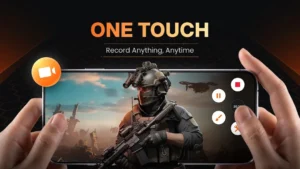
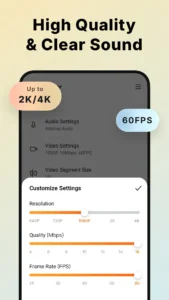
The app provides a floating ball control, making it easy to start or stop recordings with just one tap. Whether you are creating content for social media or saving important video calls, the tool ensures your files look professional. You can record in Full HD, with support up to 1080p and 60FPS, ensuring every detail is clear. It is a flexible utility for anyone needing to capture their device activity without technical hurdles.
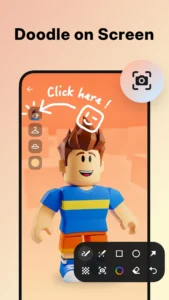
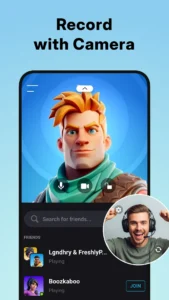
One notable feature is the inclusion of internal audio recording for Android 10 and above, which captures sound directly from your device without background noise. For those who want to add a personal touch, the Facecam feature lets you overlay your own reaction video in a resizable window while you record. Screen Recorder – XRecorder also includes brush tools, allowing you to draw on the screen during your recording to highlight specific areas. This screen recorder for Android makes it easy to guide viewers through an app or demonstrate a game feature.
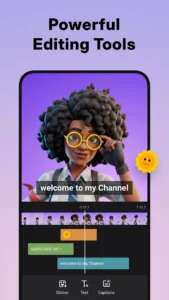
Beyond capturing video, the app serves as a versatile video editor. You can trim clips, adjust playback speed, add music, and apply filters to your recordings. If you accidentally delete a file, the built-in trash bin lets you recover photos and videos within three days. The interface is optimized for various screen sizes, including tablets and foldables, as noted in the latest version 2.5.6.1. Using this video recorder app, you can save your projects as drafts to continue editing them later, providing a flexible workflow for content creators.
Getting started with screen recording
To begin, download the Screen Recorder – XRecorder APK and install it on your device. Upon launch, the app will request various permissions to function correctly. These include access to your camera and microphone for recording, storage access to save your video files, and system alert window permission to display the floating control ball. The app also requires permission to read package usage and notification status to manage your recording experience. These permissions allow the app to operate in the background while you focus on your tasks.
If you are looking for other video tools to complement your workflow, you might consider checking out YouTube Go: Discontinued to understand how different media tools manage data. For those interested in alternative viewing experiences, Pure Tuber: YouTube Client provides unique features for managing online video content. Both apps offer different perspectives on how to handle video files on your smartphone.
Strengths and limitations
Strengths:
- No recording time limits or watermarks on your videos.
- High-quality output up to 1080p and 60FPS.
- Built-in video editing tools including trimming and speed control.
- Facecam and brush tool overlays for interactive content.
- Optimized interface for tablets and foldable devices.
Limitations:
- The app contains advertisements.
- Requires numerous permissions to manage system-level recording tasks.
- Internal audio recording is restricted to Android 10 and above.
Who should use this app?
This tool is ideal for gamers, content creators, and professionals who need to document their device activity. If you want a quick, ad-supported way to grab screenshots or long-form videos, Screen Recorder – XRecorder is a strong choice. It is not recommended for users who prefer apps with minimal permission requirements or those who strictly avoid advertisements. By choosing this app, you prioritize ease of use and a wide feature set for your recording needs.
Is the app free to use?
Yes, the app is free to download and use, though it is supported by advertisements.
Can I record internal audio?
Yes, but this feature is only available for devices running Android 10 or higher.
Does it require root access?
No, the app does not require root access to record your screen.
What is the latest version?
The latest version provided is 2.5.6.1, which includes improvements for large screens.
