


MouseBot 2026.10.07
Vector Unit
November 25, 2026
79.9 MB
2026.10.07
Android 7.0
com.vectorunit.mercury.googleplay
RELATED APPS



SCREENSHOTS
DESCRIPTION
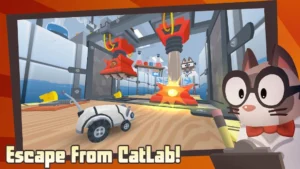
Are you looking for an action-packed platforming game with a unique challenge? MouseBot APK offers an exciting adventure where you guide a robotic mouse through dangerous mazes. Developed by Vector Unit, this game tasks you with escaping the cat scientists of CatLab and finding cheese.
This platformer is designed to test your reflexes and timing. You will dodge many traps and obstacles in your quest for freedom. Download MouseBot to start your journey through 88 challenging levels today.
What is MouseBot APK and how does it play?
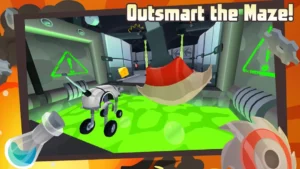
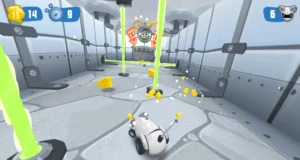
MouseBot is a platforming game where you control a robotic mouse. Your goal is to navigate through mazes filled with traps created by cat scientists. The game offers 88 challenging levels, each designed to test your skills.
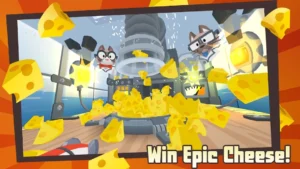
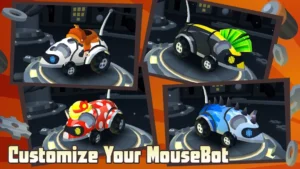
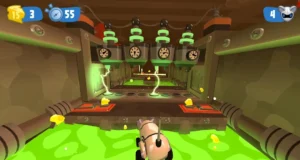
You will encounter giant metal Kitty Krushers, Roller Graters, Mines, and Lasers. Pools of bot-melting Acid also block your path. As you progress, you collect cheese which can be used to unlock new skins and accessories for your robotic mouse. The game provides eye-popping cartoon visuals on phones, tablets, and even Android TV. Control options include touch screen, gamepad, and remote for TV play.
You can earn achievements and use cloud save features through Google Play Game Services. This ensures your progress is saved across devices. For an action-packed experience, consider trying Bowmasters: Unlimited Coins.
What challenges will you face in MouseBot?
The game presents many obstacles that require quick thinking and precise movements. You must evade various mechanical mouse traps, using your agility to survive. The cats’ nefarious plans involve crushing, stomping, zapping, and blowing your robot mouse to bits.
To overcome these challenges, you can unlock new abilities. These abilities allow your MouseBot to run, jump, and transform for both land and water environments. Collecting epic piles of cheese is key, as it helps you customize your character and prepare for tougher levels. The latest version of this platforming game Android is 2026.10.07, which includes bug fixes and stability improvements.
How do you get started with MouseBot?
Installing MouseBot is simple. Once downloaded, the app requires certain permissions to function correctly. These permissions help the game provide its features and support its operations.
- Network Access (ACCESS_NETWORK_STATE, ACCESS_WIFI_STATE, INTERNET): These allow the app to connect to the internet for ads, updates, and game services.
- Advertising Services (ACCESS_ADSERVICES_AD_ID, ACCESS_ADSERVICES_ATTRIBUTION, com.google.android.gms.permission.AD_ID): These are used for displaying advertisements within the game.
- Bluetooth Connection (BLUETOOTH_CONNECT): This permission might be used for connecting gamepads or other Bluetooth accessories.
- Foreground Service and Wake Lock (FOREGROUND_SERVICE, WAKE_LOCK): These ensure the game runs smoothly in the foreground and prevents your device screen from turning off during gameplay.
- Phone State (READ_BASIC_PHONE_STATE): This provides basic information about your device, which can be used for analytics or ad targeting.
- Vibration (VIBRATE): This allows the game to provide haptic feedback, like when you hit a trap.
- Billing and Licensing (com.android.vending.BILLING, com.android.vending.CHECK_LICENSE): These are necessary for handling in-app purchases and verifying your app license.
- Install Referrer (com.google.android.finsky.permission.BIND_GET_INSTALL_REFERRER_SERVICE): This helps track how the app was installed.
- Internal App Component (com.vectorunit.mercury.googleplay.DYNAMIC_RECEIVER_NOT_EXPORTED_PERMISSION): This is an internal permission for the app’s components to communicate.
The game is free to download and play, but it does include ads. There are also optional in-app purchases available for additional content or to remove ads. You can find more games and apps on the whats download store.
Quick Facts About MouseBot
Is MouseBot right for you?
Strengths of MouseBot
- Engaging platforming gameplay with 88 levels.
- Humorous cartoon graphics and destruction.
- Customization options for your robotic mouse.
- Multiple control methods, including gamepad support.
- Cloud save and achievements through Google Play Game Services.
Limitations of MouseBot
- Contains in-game advertisements.
- Offers optional in-app purchases.
- File size of 79.9 MB might be large for some devices.
For players who like fast-paced action and puzzle-solving in a fun, cartoon world, then MouseBot download is a good choice. It is suitable for players who like to test their reflexes and timing. However, players who prefer games without ads or in-app purchase options might find this less suitable. Another action game to consider is Space Shooter: Unlimited Money.
Frequently Asked Questions about MouseBot
Is MouseBot free to play?
Yes, MouseBot is free to play. It includes in-game advertisements and offers optional in-app purchases for additional content.
What is the latest version of MouseBot?
The latest available version of MouseBot is 2026.10.07. This update includes bug fixes and stability improvements.
What Android version does MouseBot require?
To install and run MouseBot, your device needs Android 7.0 or a newer version of the operating system.
Does MouseBot offer cloud saving?
Yes, MouseBot supports cloud saving through Google Play Game Services. This allows you to save your progress and continue playing on different devices.
APP TRAILER
