


PlayStation App 26.11.1
Google Commerce Ltd
November 20, 2026
79.4 MB
26.11.1
com.scee.psxandroid
RELATED APPS






SCREENSHOTS
DESCRIPTION
Get the PlayStation App APK for Your Mobile
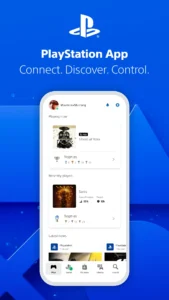
The PlayStation App is designed for players who want to keep up with their gaming community and manage their console activities from a mobile device. By installing the PlayStation App APK, you gain an official tool that acts as a bridge between your phone and your PS5 or PS4 console. It allows you to track friends, browse the store, and manage downloads even when you are away from home. This application is essential for anyone who wants to stay connected to their gaming ecosystem around the clock.
Manage Your Console and Library
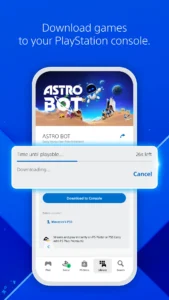
One of the primary benefits of the PlayStation App is the ability to control your console remotely. You can start game downloads or add-ons directly from your phone so your titles are ready to play the moment you sit down at your console. If you run out of space, you can manage your PS5 storage settings through the interface. Furthermore, the app supports remote game launches and quick sign-in features to make your experience more efficient. The PlayStation App APK ensures that your gaming hardware is always ready for your next session without needing to be in front of the television.
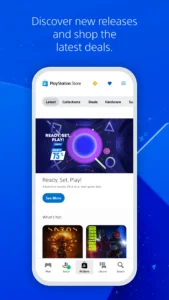
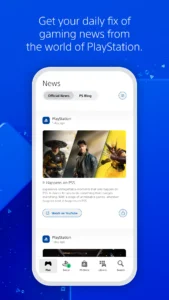
Beyond console management, you can explore the PlayStation Store to find the latest releases, pre-orders, and ongoing deals. You can browse high-quality media through PlayHub Plus: Movies & Series when you are not playing games. The app also keeps you updated with a daily feed of gaming news and sends notifications directly to your lock screen so you never miss an invitation or update.
Communication and Social Features
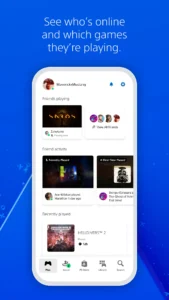
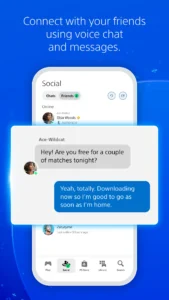
Connecting with your friends is a core focus of the PlayStation App. You can see who is online and what games they are playing in real-time. The dedicated tab for friends and chats makes it easy to send messages or start voice chats to plan your next multiplayer session. You can also view other players’ profiles and check their earned trophy collections. Whether you are coordinating a raid or just checking in, the social tools are always accessible.
The app requires a PlayStation account to function. Please note that some features are exclusively tied to having a PS5 or PS4 console. For additional mobile entertainment, you can also check out Kawaii Animes which provides a wide selection of content. The app is free to use but contains advertisements to support its continuous development and features.
Getting Started and Permissions
To begin using the application, download the installation file and ensure your device meets the standard requirements. During installation, the app will request several permissions, including access to your camera, microphone for voice chat, and storage to manage media and downloads. It also requires network state access and internet connectivity to sync your account data and console status. The system uses these permissions to keep you linked to your gaming friends and your hardware settings.
Quick Facts
Strengths and Limitations
Strengths:
- Remote management for game downloads and console storage.
- Easy access to voice chat and messaging with friends.
- Direct integration with the PlayStation Store for deals.
- Real-time notifications for game invites and system updates.
Limitations:
- The app displays advertisements.
- Requires a valid PlayStation account for login.
- Some features are locked behind hardware ownership of a PS5 or PS4.
- Requires constant internet connection for live data syncing.
Frequently Asked Questions
Is the PlayStation App free to download?
Yes, the app is free to download and use, though it does contain advertisements.
Can I use this app without a console?
You can use many features like browsing the store and messaging friends, but some console-specific features require a PS4 or PS5.
Does the app work offline?
No, the app requires an active internet connection to sync your account, chat with friends, and manage your console.
