


YouTube for Android TV 5.30.304
Google Commerce Ltd
November 20, 2026
5.30.304
com.google.android.youtube.tv
RELATED APPS





SCREENSHOTS

DESCRIPTION
Do you want to bring the world of online video to your living room? The YouTube for Android TV APK is the official application from Google Commerce Ltd designed specifically for television interfaces. By installing this app, you can turn your smart TV into a hub for movies, live news, and creator content without needing a computer or mobile device. This app serves as a centralized location for all your video consumption needs on the big screen.
Using the YouTube for Android TV APK
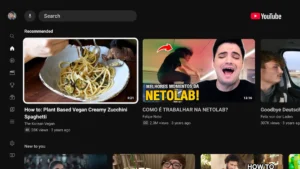
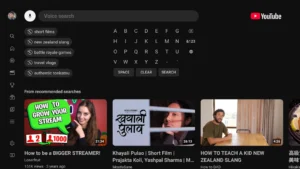
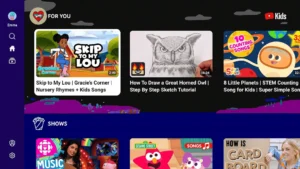
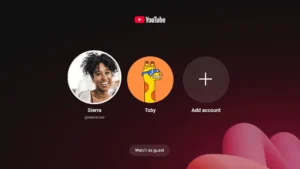
The app provides an experience that makes browsing YouTube for Android TV simple with a remote control. You can sign in to your Google account to access your subscriptions and recommendations. If you prefer to watch without signing in, you can still explore trending topics, music, and various categories directly from your home screen. The YouTube for Android TV interface is built for efficiency, ensuring you spend less time searching and more time watching.
This application covers a vast range of interests. You can watch live sports, stay updated with news broadcasts, or listen to your favorite podcasts. For parents, the app includes features to manage a child account. This allows you to set content filters and guide what your children discover while using the YouTube for Android TV interface. It is an all-in-one, easy to use TV app for effortless and engaging entertainment at home.
Key Features for Your Living Room
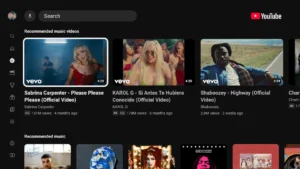
The platform is built to handle everything from short clips to long-form entertainment. You can find fresh music videos, watch movies, or keep track of your favorite creators. The interface is optimized to help you find content quickly, whether you have a few minutes to spare or several hours to watch. Because the YouTube for Android TV APK is designed specifically for this environment, it functions reliably with standard TV remotes.
The app also prioritizes discovery. You can explore topics that inspire you or learn new skills through educational videos. When you sign in, the recommendations become personalized to your viewing history. This ensures that the content you enjoy most is always ready for you to watch. It truly is a comprehensive tool for anyone looking to transform their viewing experience beyond just standard broadcast movies and shows.
For those who want to explore different types of media, PlayHub Plus: Movies & Series serves as a useful addition to your entertainment library. Additionally, if you are a fan of Japanese animation, Kawaii Animes offers a dedicated player for those specific interests. Both apps expand what you can watch on your device beyond standard video platforms.
Technical Specifications
Strengths and Limitations
Strengths:
- Optimized specifically for television screens and remote control navigation.
- Includes tools for parents to manage content for kids.
- Provides access to live news, sports, and podcasts in one place.
- Official support ensures consistent updates and playback performance.
Limitations:
- The app is free but includes advertisements during video playback.
- Requires a Google account for personalized content and viewing history.
Who Should Use This App?
You should install this app if you own an Android-powered TV and want a native way to watch online videos. It is ideal for families who want to manage screen time through kid-friendly account settings. However, if you primarily watch video on a smartphone or tablet, you may prefer the standard mobile version of the app instead.
Is the app free to use?
Yes, the app is free to download and use, though it does contain advertisements.
Do I need to sign in?
You do not need to sign in to browse or watch content, but signing in is required to see your personalized recommendations and subscriptions.
Can I manage what my kids watch?
Yes, the app allows parents to add and manage kid accounts with specific content settings.
