


Test DPC 9.0.16
Google LLC
November 22, 2026
13.4 MB
9.0.16
Android 6.0
com.afwsamples.testdpc

SCREENSHOTS
DESCRIPTION
Getting Started with the Test DPC APK
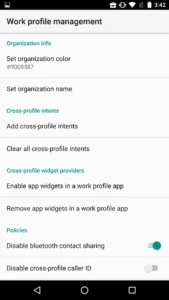
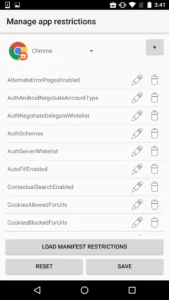
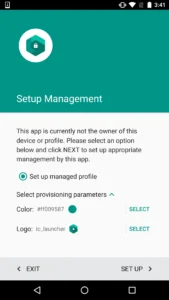
Test DPC is a sample device policy controller built by Google LLC for developers. If you are building apps for Android Enterprise, this tool allows you to simulate how your software behaves under managed contexts. It is essential for testing configurations like Work Profiles or Device Owner modes. By downloading the Test DPC APK, you can easily set up work profiles, define application restrictions, and enforce security policies to ensure your enterprise applications function correctly. This utility is the standard for developers who need to verify their enterprise solutions in a controlled testing environment.
Because this app is strictly for development, you should never use it with real personal data. It serves as an implementation reference for other DPC developers who need a reliable testing framework. By installing the Test DPC APK, you get a clear look at how managed profiles handle permissions and system settings. It helps you verify that your enterprise software meets the necessary requirements before you deploy it to actual users in a production environment. This tool acts as a bridge between your code and the Android system management APIs, making it a critical part of your development toolkit.
Core Features for Enterprise Testing
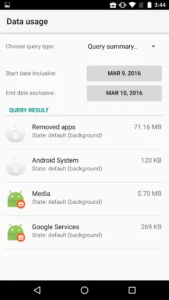
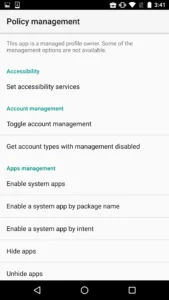
The app provides a comprehensive suite of tools for managing device policies. You can enable specific work apps and test how they interact with the rest of the system. It allows for granular control over security policies, including password complexity and screen capture restrictions. Developers can also use the app to query system updates and modify user settings during their testing sessions. These features ensure that your apps handle enterprise restrictions exactly as expected across different device states, allowing you to catch potential issues early.
Recent updates have improved the edge-to-edge layout and ensured that work profile setups complete reliably. The latest version also adds shell commands for fine-grained control, such as setting persistent preferred activities or clearing them. You can find more tools for your mobile workflow by exploring Google Chrome: Fast & Secure, which offers a stable browsing experience for developers. If you need to test hardware-specific features, you might also look at GCam: Google Camera to see how managed policies affect camera access in a real-world simulation.
Installation and Permissions
To use Test DPC, download the APK and install it on your development device. The app requires extensive permissions because it is designed to manage system-level policies. It needs access to network states, Wi-Fi management, and storage to function correctly. The app also requests permissions for account management, usage statistics, and device policy controls to properly simulate an enterprise environment. Ensure you are only installing this on devices dedicated to testing, as the administrative privileges requested are significant and designed only for simulated management.
Quick Facts
Strengths and Limitations
- Provides a direct reference implementation for Android Enterprise development.
- Includes advanced shell commands for testing system-level configurations.
- Offers a safe environment to test application restrictions and security policies.
- Supports complex device policy management tasks like Work Profile setup.
- Not intended for production use or personal data management.
- Requires a wide range of sensitive system permissions.
- The app is strictly a development tool, not a consumer utility.
Frequently Asked Questions
Is Test DPC free to use?
Yes, Test DPC is a free tool provided by Google LLC for developers.
Can I use this app on my main personal phone?
No, this app is for development purposes only and should never be used with real data on a production device.
What Android version is required?
The developer has not specified a minimum Android version, but it is optimized for modern Android Enterprise testing.
Why does this app need so many permissions?
The app requires these permissions to simulate various administrative controls and enterprise policies that a DPC would manage on a company-owned device, such as camera toggles, Wi-Fi configuration, and VPN settings.
