

Cardboard 4.0.1
Google LLC
November 22, 2026
11.0 MB
4.0.1
Android 10
com.google.samples.apps.cardboarddemo

SCREENSHOTS
DESCRIPTION
How does the Cardboard APK bring virtual reality to your phone?
Cardboard is a tool developed by Google Commerce Ltd that turns your smartphone into a virtual reality platform. By using a compatible viewer, you can launch digital experiences, find new applications, and configure your device settings. The latest version 4.0.1 is built on the Cardboard open-source software SDK, which improves overall stability and performance for your VR sessions. This application serves as a primary gateway to digital environments. Whether you want to explore 360-degree content or test out VR features, Cardboard provides the necessary framework for your phone. It acts as a bridge between your hardware and the immersive digital world, allowing for a standard, accessible experience for anyone with a smartphone.
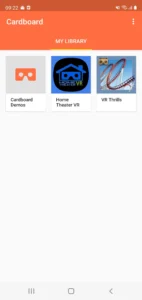
To get the most out of your device, you need to understand how the software interacts with your hardware. The app acts as a hub, organizing your VR-ready applications in one place. It also provides a setup process to ensure your viewer is calibrated correctly for your specific device. If you are looking for different types of entertainment, you might consider Poker Heat™ Texas Holdem Poker for a different type of interactive mobile experience. The software is designed to be accessible, though it requires a physical viewer to actually see the VR effect properly.
What features does the Cardboard app offer?
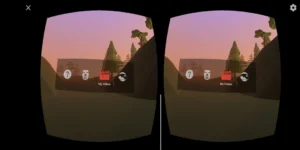
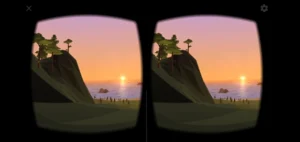
The core function of the app is to manage your VR interactions. It allows you to launch your favorite VR applications directly from a central library. You can discover new content that supports the Cardboard viewer and use the built-in configuration tools to set up your headset correctly. Because it is built on an open-source SDK, the app is designed to be lightweight and efficient for a wide variety of users. The software handles the complex rendering tasks required for stereoscopic viewing, ensuring that your content displays properly through the lenses of your viewer. This rebuilt version focuses on providing a smoother experience than previous iterations by utilizing modern, open-source code.
Getting started with your VR headset
To use this app, you will need a physical Cardboard viewer. Once you have your hardware, download the Cardboard APK and install it on your device. The app requires several permissions to function, including access to your camera, location, and Bluetooth for device connectivity. It also requests access to your media files for content playback. It uses your phone’s vibration and wake-lock features to maintain a consistent experience while in use. You must grant these permissions during the setup process to allow the app to communicate with your hardware and manage your media library effectively. These permissions are necessary to ensure the app can detect your viewer, track your movement, and play video content without interruptions.
Hardware requirements and safety
The app is designed to work with a range of Android devices, provided they have the necessary sensors to track movement. You should always ensure your phone is securely placed in the viewer before you begin. If you prefer standard card games over virtual reality, you could try Pusoy Dos ZingPlay – card game. Cardboard is best for users who own a viewer and want to explore VR apps. People who do not have a headset or those concerned about the wide range of required permissions may want to skip this installation. Always prioritize your physical surroundings when using the software, as blocking your vision with a headset can be disorienting. Never use the app near stairs, furniture, or traffic.
Quick facts about the application
Strengths and limitations
Strengths:
- Completely free to use for all users.
- Built on a stable, open-source SDK.
- Simple interface for launching VR content.
- Lightweight installation size of 11.0 MB.
Limitations:
- Requires a separate physical Cardboard viewer.
- Needs many permissions to manage hardware and media.
- Not suitable for use while walking or driving.
Is the Cardboard app free?
Yes, the app is free to download and use.
Does it work offline?
The app requires an internet connection for certain services, as defined in the Google Terms of Service.
Is it safe to use while moving?
No, you should never use this app while driving, walking, or in any situation that requires your full attention to real-world safety.
