


Google Photos 8.1.0.1020990585
Google LLC
November 22, 2026
154.2 MB
8.1.0.1020990585
com.google.android.apps.photos
RELATED APPS




SCREENSHOTS
DESCRIPTION
How do you keep your memories organized and secure?
Google Photos is the home for all your photos and videos, developed by Google Commerce Ltd. It serves as a central hub where you can store, edit, organize, and search through your visual memories with the help of advanced AI. By using the Google Photos APK, you ensure that your media is backed up automatically across all your devices. This application acts as a comprehensive gallery replacement that keeps your digital life orderly.
What can you do with the Google Photos APK?
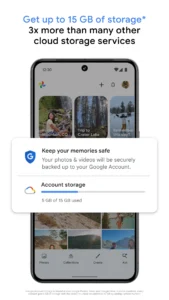
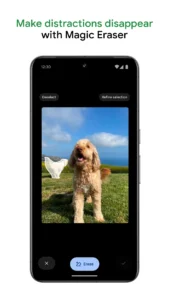
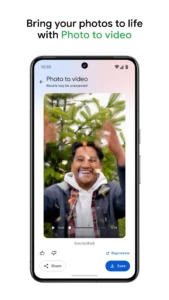
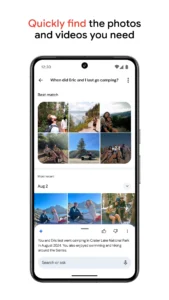
This app provides several powerful features to manage your media library. You get 15 GB of cloud storage, which is shared across Google Photos, Gmail, and Google Drive. The app uses AI-powered editing tools like Magic Eraser to remove distractions, Unblur to fix out-of-focus images, and Portrait Light to enhance lighting. The smart search function allows you to find specific moments using natural language, such as searching for people or specific activities. You can even use Google Lens to identify text and objects in your photos to learn more about them.
Organization is also a major focus for this software. The app automatically groups similar photos into stacks and creates intuitive folders for screenshots and documents. You can keep private content in a locked folder protected by your device screen lock. If you need to manage your storage, a new tool identifies items like blurry photos or large videos to help you free up space. You might also want to try GCam: Google Camera to enhance your initial capture experience before syncing to the cloud.
Getting started and permissions
To begin using Google Photos, simply download and install the APK on your Android device. Upon first launch, the app requires various permissions to function, including access to your camera for taking photos, storage access to read and manage your media files, and location access to organize your photos by where they were taken. It also requests network state permissions to facilitate cloud backups and sync your account data securely. Other permissions like Bluetooth and NFC help with device connectivity and smart sharing features.
Understanding the Google Photos APK capabilities
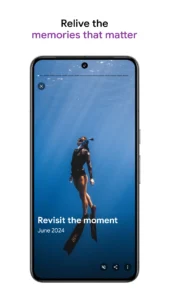
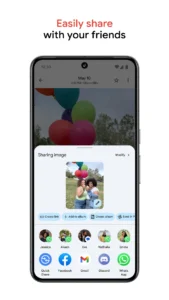
Beyond simple storage, the app is a powerful assistant for your daily life. It helps you relive and share your favorite memories with contacts, even if they do not use the app themselves. You can also order high-quality photo books, prints, and canvas wall art directly from the interface in select regions. This makes it easy to turn your digital moments into physical keepsakes. While you manage your creative projects using InShot: Video Editor & Maker, this app remains the best place to keep the source files safely tucked away in the cloud.
Quick Facts
Strengths and limitations
Strengths:
- Offers 15 GB of free cloud storage for your account.
- Advanced AI tools like Magic Eraser and Unblur for editing.
- Automatic backup keeps content safe across all your devices.
- Easy to use for sharing memories with friends and family.
Limitations:
- Storage is shared with Gmail and Google Drive, which may fill up.
- Printing services are only available in the US, EU, UK, and CA.
- Requires numerous permissions to enable full functionality.
Who should use this app?
If you want a reliable backup solution that organizes your photos automatically, this is the right choice. It is perfect for users who value searchability and quick editing tools. If you prefer to have all your media in one place, this application is essential for your Android device.
Is Google Photos free?
Yes, the app is free to use and includes 15 GB of shared cloud storage for your account.
Does it work offline?
You can view and edit your photos offline, but syncing and cloud backups require an active internet connection.
Can I hide private photos?
Yes, you can save sensitive photos and videos to a locked folder that is protected by your device screen lock.
