


Gallery 1.9.4.930218541 release
Google LLC
November 22, 2026
15.4 MB
1.9.4.930218541 release
com.google.android.apps.photosgo
RELATED APPS






SCREENSHOTS
DESCRIPTION
Organize Your Memories with the Gallery APK
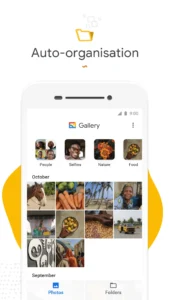
Gallery is a smart, light, and fast application built by Google Commerce Ltd to help you manage your media library. If you are looking for a better way to handle your images, the Gallery APK provides a clean solution. By using automatic organization, this tool keeps your pictures grouped by categories such as People, Selfies, Nature, Animals, Documents, Videos, and Movies. This categorization happens every night, ensuring you spend less time searching and more time sharing your memories with those who matter most.
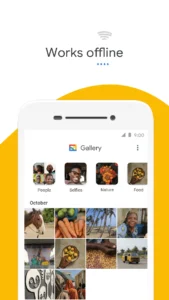
The app is designed to be lightweight, taking up only 15.4 MB of storage on your device. It is optimized to perform well without slowing down your phone, even when managing large collections. Because it works offline, you can organize and view your files without worrying about constant data usage. For those who enjoy capturing high-quality images, you might also find GCam: Google Camera useful for your photography needs.
Enhance Your Images and Manage Files
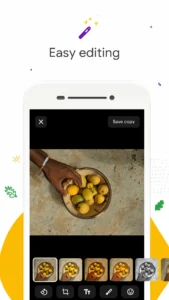
Beyond organization, Gallery includes built-in editing tools to improve your photos. The auto-enhance feature lets you adjust your images with a single tap, helping them look their best instantly. The app also provides full support for folders and SD cards, making it simple to copy, view, or transfer files between your internal storage and external media. If you need more advanced tools for social media content, you can pair this with InShot: Video Editor & Maker to expand your creative options.
The Gallery application ensures that your phone stays fast. By keeping the file size small, it leaves more room for your own photos and videos. It manages your storage without using excessive memory, which keeps your phone running smoothly throughout the day. Whether you are moving images to an SD card or just browsing your latest shots, the interface remains responsive and easy to navigate.
Getting Started and Permissions
To start using the app, download the Gallery APK and install it on your Android device. The app requires several permissions to function correctly. It needs access to your media files to display your images and videos. It also requires network access for background services and the ability to write to external storage for file management tasks. Other permissions, such as setting wallpaper and wake-lock, allow the app to operate smoothly in the background while keeping your gallery ready for immediate access. These permissions are necessary to ensure the app can scan your folders, save changes, and maintain its organized structure on your device storage.
Strengths and Limitations
- Automatic categorization saves time by grouping photos by type.
- The small file size ensures more room for your personal media.
- Works without an internet connection to keep your data usage low.
- Supports SD card management for easy file transfers between devices.
- Face grouping features are not available in all countries.
- Requires multiple device permissions to manage storage and system settings.
Who Should Install Gallery
This app is ideal for users who want a simple, fast way to organize a large photo collection without using a lot of device memory. It is perfect if you frequently move files between your phone and an SD card. However, if you require professional-grade manual editing controls or cloud-syncing features, you may want to look for more complex alternatives.
Is Gallery free?
Yes, the app is free to use.
Does it work offline?
Yes, the application is optimized to function completely offline, meaning it does not require a data connection to organize your media.
What happens to my photos?
Your photos stay on your device. The app organizes them locally to ensure your privacy and performance.
