


PhotoScan by Google Photos 1.7.1.539739820
Google LLC
November 22, 2026
32.3 MB
1.7.1.539739820
Android 5.0
com.google.android.apps.photos.scanner
RELATED APPS






SCREENSHOTS
DESCRIPTION
Solve the problem of blurry photo copies with PhotoScan by Google Photos APK
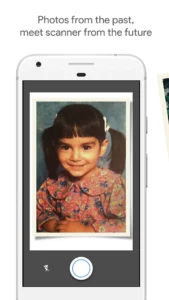
Taking a simple photo of an old printed picture often results in unwanted glare, poor lighting, and awkward angles. PhotoScan by Google Photos addresses this issue by turning your phone camera into a specialized scanner. Developed by Google Commerce Ltd, this application helps you create high-quality digital versions of your physical photo collection without the need for a flatbed scanner. Many users find that physical prints fade or get damaged over time, making it essential to digitize them quickly. Using PhotoScan by Google Photos APK, you can ensure your memories remain accessible for years to come.
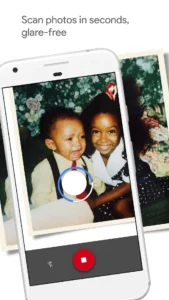
The app guides you through a step-by-step process to capture your images. By following the on-screen prompts, you eliminate glare and ensure your scans look like professional digital files. The software handles automatic edge detection to crop your photos accurately. You can also manually adjust the edges and corners to get the exact framing you need for every shot. This level of control is helpful when you have photos with irregular borders or worn edges that need careful cropping.
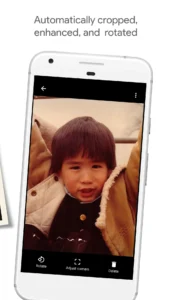
Once you finish scanning, the app applies perspective correction and smart rotation to ensure every image is straight and oriented correctly. You can then save these digital copies directly to your device. If you want to enhance your images further, you might also consider using InShot: Video Editor & Maker to add filters or additional edits to your media. For those who want more advanced camera controls, GCam: Google Camera offers additional features that complement your mobile photography setup.
Key features for digitizing your memories
PhotoScan by Google Photos provides several tools designed to make the transition from physical to digital effortless. The glare-free capture flow is the primary benefit, as it removes the reflections that usually ruin a photo of a photo. Because the app performs automatic cropping based on edge detection, you spend less time manually trimming your files after you finish. The software is built to handle the unique challenges of scanning physical media, such as uneven surfaces and reflective paper.
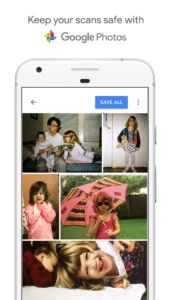
The software also includes smart rotation, which keeps your photos right-side-up regardless of your scanning angle. With the latest version, the corner editor is improved, allowing you to drag and adjust the edges of your scans for precise results. Your scanned photos are saved to your device immediately upon capture, ensuring your data is stored locally. By using the PhotoScan by Google Photos APK, you gain access to these advanced features that simplify the digitization process for even the most difficult prints.
Permissions and setup
To use this tool, you must grant several permissions. The app requires access to your camera to take the scans and your storage to save the final images. It also uses vibration for feedback and wake lock to ensure the screen remains active during the scanning process. The app requests access to read Google services to integrate with your account, and it triggers on boot to ensure background functions work as intended. Because it interacts with your system gallery, these permissions are necessary for the app to function as expected.
Strengths and limitations
Strengths:
- Eliminates glare from glossy prints
- Automatic edge detection and cropping
- Simple, guided capture flow
- Perspective correction for straight images
- Immediate saving to your local device storage
Limitations:
- Requires several camera and storage permissions
- Performance depends on your device camera quality
- Does not include advanced artistic filters within the scanner itself
Who should use this app?
This app is ideal for anyone with a collection of physical photos who wants to preserve them digitally. It is suitable for those who do not own a dedicated desktop scanner. If you prefer to have high-resolution professional scans or need to scan documents with text, you might find a dedicated document scanning app more suitable than this photo-focused tool. It is a great choice for casual users who want to quickly back up old family albums.
Is PhotoScan by Google Photos free to use?
Yes, the app is free to download and use.
Does it work offline?
Yes, you can capture and save your scans to your device without an active internet connection.
Can I edit the scans after I take them?
Yes, the app allows you to adjust the edges and corners of your scanned photos after capture.
