

Pixel Camera 9.8.102.748116395.16
Google LLC
November 22, 2026
635.4 MB
9.8.102.748116395.16
com.google.android.GoogleCamera
RELATED APPS






SCREENSHOTS
DESCRIPTION
Exploring the Pixel Camera APK
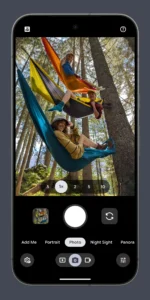
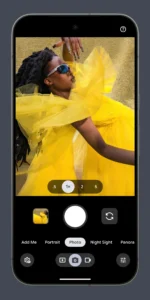
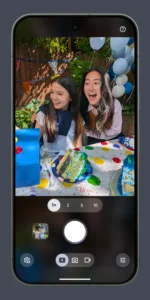
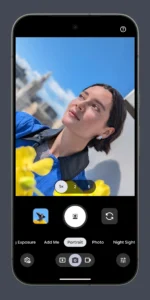
Pixel Camera is the official photography tool developed by Google Commerce Ltd. It helps you take professional-grade photos and videos using advanced processing technologies. Whether you are capturing a night scene or a fast-moving subject, this app provides the tools to get high-quality results. Many users look for the Pixel Camera APK to ensure they have the latest features on their supported devices. This application is designed to help you never miss a moment, offering a wide range of tools like Portrait, Time Lapse, and Cinematic Blur.
Key Features for Better Photos and Videos
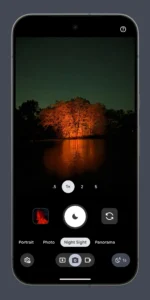
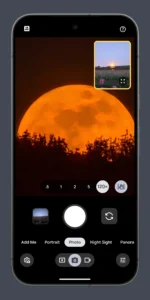
The app includes tools like Night Sight, which captures details and colors in low-light environments without needing a flash. You can even use Astrophotography to take photos of the Milky Way. For those who enjoy video creation, the Creator Suite provides a built-in teleprompter, project folders, and an audio visualizer for mic checks. Magic Capture allows you to live the moment while your camera captures a video and high-quality photos simultaneously. You can also explore GCam: Google Camera to see how different versions offer unique processing styles.
Advanced users can take advantage of Pro Controls to adjust shutter speed, ISO, and other settings manually. If you are recording footage, features like Pro Stable Video help maintain smooth clips even when you are moving, while Video Boost improves lighting and color quality. For group shots, the Add Me feature ensures the photographer is included in the final image. If you need to edit your clips after shooting, you might find InShot: Video Editor & Maker useful for your workflow. The app also features Camera Coach, which uses Gemini models to provide suggestions and guidance to help you take better photos.
Getting Started and Permissions
To use Pixel Camera, ensure your device meets the required system specifications. The app requests several permissions to function, including access to your camera, microphone, and location services. These are necessary to tag your photos with location data and to record audio during video capture. The app also requires access to your media files to save and retrieve your captured content. Additional permissions allow for managing network states, Bluetooth, NFC, and vibration feedback to support all device-integrated features.
Quick Facts
Strengths and Limitations
Strengths:
- Includes professional-grade tools like Astrophotography and long exposure.
- Provides advanced video stabilization and night mode options.
- Features AI-powered guidance like Camera Coach.
- Offers specific tools for content creators, such as a built-in teleprompter.
- High zoom capabilities up to 120x on supported models.
Limitations:
- Some features are limited to specific device models.
- The app requires significant storage space for installation.
- Advanced features require very recent Android versions.
- The latest version is restricted to specific hardware requirements.
Frequently Asked Questions
Is Pixel Camera free?
Yes, the app is free to download and use.
Does it work offline?
Most core photography features work offline, though some cloud-connected features may require an internet connection.
Which Android version is required?
The latest version of Pixel Camera is designed for Pixel devices running Android 17 and above. The version for Wear OS requires devices running Wear OS 5.1 and above connected to a Pixel phone.
