


LINE Sticker Maker 8.8.0
LINE (LY Corporation)
November 22, 2026
116.3 MB
8.8.0
Android 10
com.linecorp.usersticker
RELATED APPS



SCREENSHOTS
DESCRIPTION
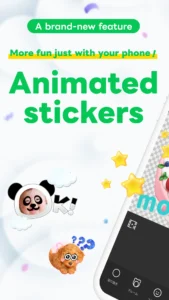
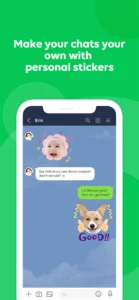
Do you want to turn your favorite photos and videos into custom chat stickers? The LINE Sticker Maker APK is a free application from LY Corporation that lets you design and share your own unique creations directly within the LINE ecosystem. Whether you are capturing funny moments with friends or cute snapshots of your pets, this tool makes the process easy for anyone looking to add a personal touch to their digital conversations. By downloading the LINE Sticker Maker APK, you gain access to a platform that turns your camera roll into an expressive communication tool.
How to Get Started with the LINE Sticker Maker APK
Getting started with the app is a quick process. After you install the application, you can begin by importing images or videos directly from your device storage. The app requires several permissions to function correctly, including camera access for capturing new content and media access to read your existing photos and videos. It also uses network state and internet permissions to sync your sticker sets and handle the review process for public sales. You will also see notification permissions to keep you updated on your sticker approval status and account activity.
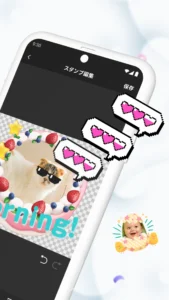
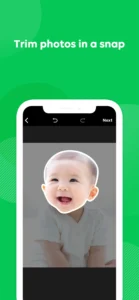
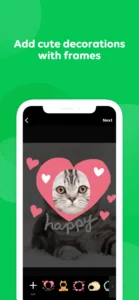
Once you have selected your media, you can use the built-in editor to crop, add text, or apply frames and decals. If you prefer a different style of image processing for your source material, you can use GCam: Google Camera to capture high-quality base photos. After you finish your design, the app allows you to submit your work for review. If you are looking for advanced video editing tools to prepare your footage before making stickers, InShot: Video Editor & Maker is a helpful choice for mobile creators.
Features for Creative Expression
The app offers several tools to help you design professional-looking stickers. You can transform your pets, friends, or family into custom digital assets. Recent updates allow you to modify images created with Deco Frame Sets even after the initial design. This flexibility ensures that you can refine your stickers to match your specific vision before they go live in the store. The entire creation flow is optimized to be user-friendly, allowing you to move from a raw photo to a finished, chat-ready sticker in just a few taps.
- Create original stickers from your own photos and videos.
- Customize designs with cropping, text, frames, and decals.
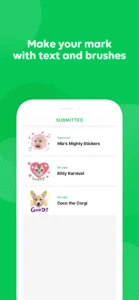
- Submit stickers for review directly inside the application.
- Sell your creations on the LINE STORE or keep them private.
- Receive revenue shares if your stickers are sold to other users.
Quick Facts
Strengths and Limitations
- Free to use and create personal sticker sets.
- Direct integration with the global LINE platform.
- Includes creative tools like frames and text overlays.
- Privacy options allow for controlled distribution of your art.
- Requires Android 10 or higher for full compatibility.
- The app requires various permissions to manage media and account services.
Who should install this app?
You should install LINE Sticker Maker if you are an active LINE user who enjoys personalizing your chats with unique content. It is ideal for creators who want to share their art with friends or potentially earn money through the sticker marketplace. If you do not use LINE or prefer a generic sticker maker that exports to multiple platforms, you might want to skip this specific tool.
Frequently Asked Questions
Is LINE Sticker Maker free to use?
Yes, the app is free to download and use for creating your own sticker sets. You can manage your creations, set up your shop, and handle your sales directly within the interface without needing a paid subscription.
Does the app work offline?
Because the app requires internet access to upload, review, and sync your stickers with the store, an active connection is necessary for most features. You must be online to submit your designs for approval.
Which Android version do I need?
This app requires Android 10 or higher to function properly. Please ensure your device is updated to meet this requirement before attempting the installation.
