

Camera App
RELATED APPS

SCREENSHOTS
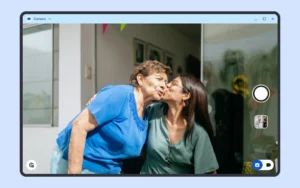
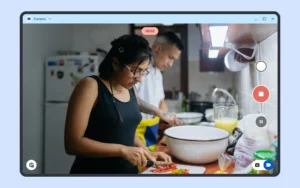
DESCRIPTION
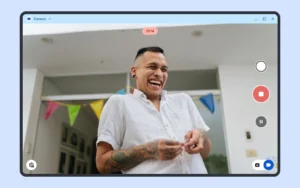
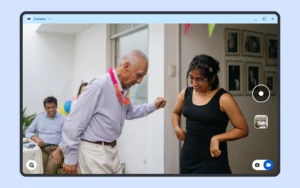
If you use a tablet, laptop, or desktop with Android, the Camera App by Google Commerce Ltd provides a functional way to capture photos and documents. This Camera App APK is designed specifically for larger displays, ensuring that your photography experience remains responsive and easy to use. Whether you rely on touch, a mouse, or a keyboard, this tool offers a clear interface for all your capturing needs. Users seeking a streamlined way to manage camera hardware will find that this software fills a specific gap for non-mobile form factors.
Using the Camera App APK on Desktop and Tablet
The Camera App focuses on maximizing your available screen real estate. The interface is built to handle landscape orientation, which is common for tablets and laptops. You can easily connect external USB webcams, allowing you to switch between cameras for better angles or higher quality shots. This is a practical solution for those who need more than just a standard front-facing sensor on their larger devices. By using this Camera App APK, you gain a reliable system for managing your external camera hardware without needing extra drivers or complex setups. The application treats your external peripherals as primary inputs, ensuring that you can maintain a high-quality visual feed for your various projects.
Beyond taking basic photos, the application includes useful utilities for daily tasks. The smart document scanning feature uses machine learning to auto-crop and enhance images, helping you create clear digital copies of physical papers. You can also use the integrated QR code scanner to quickly access links or information without needing a separate utility. If you prefer more advanced mobile photography tools, you might also consider GCam: Google Camera for your handheld device. For those who frequently edit their captured media, InShot: Video Editor & Maker serves as a helpful companion for your creative projects, allowing you to refine your images after you have finished your initial capture.
Getting Started with the Application
Installing the Camera App is simple via the APK file. Once installed, the app is ready to use immediately. It does not require complex sign-in processes, allowing you to open the application and start capturing content right away. Because it is designed for larger hardware, it handles mouse clicks and keyboard shortcuts effectively, making it a functional choice for desktop-based Android environments. You will find that the controls are placed logically, mirroring standard desktop software layouts for better accessibility. The software is lightweight and starts quickly, ensuring that you do not waste time when you need to capture a document or scan a code in a hurry.
Strengths and Limitations
- Responsive design optimized for tablets and laptops.
- Support for external USB webcams.
- Built-in ML-powered document scanner and QR reader.
- Completely free to use.
- Keyboard and mouse support for desktop users.
- Limited features compared to dedicated mobile photography apps.
- Performance is dependent on your device’s USB and camera hardware.
- Lacks advanced manual exposure or focus controls.
Who Should Use This App
This software is ideal for users who primarily work on tablets or desktop-based Android systems and need a reliable way to manage their camera hardware. If you frequently scan documents or need a simple interface for your external webcam, this is a suitable choice. However, if you are looking for advanced manual controls or complex photo editing filters, you may find the feature set too basic for professional creative work. The Camera App remains a top-tier utility for anyone prioritizing efficiency on larger screens.
Frequently Asked Questions
Is the Camera App free to download?
Yes, the app is free to use.
Does this app work with external cameras?
Yes, it supports plugging in and switching to external USB webcams.
Is this app designed for mobile phones?
It is specifically built for larger screens, tablets, and desktops, though it functions on devices that support those environments.
What makes this different from a standard camera?
This application is optimized for large displays and desktop peripherals, whereas standard apps are usually built for small touchscreens.
