


Snapseed 4.2.3.1023041404
Google LLC
November 22, 2026
172.2 MB
4.2.3.1023041404
com.niksoftware.snapseed
RELATED APPS






SCREENSHOTS

DESCRIPTION
Professional Photography Tools in Your Pocket
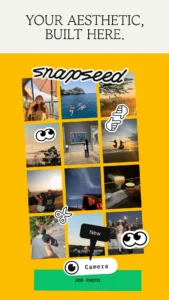
Snapseed is a complete and professional photo editing application designed by Google for users who demand high-quality results from their mobile devices. If you are looking for the Snapseed APK to improve your mobile photography, this app provides a vast suite of advanced features without any hidden costs. You get access to over 30 professional tools and filters entirely for free, with no subscriptions, ads, or watermarks to get in your way. The app is a powerful solution for anyone wanting to take control of their images, whether you are a casual hobbyist or a seasoned photographer.
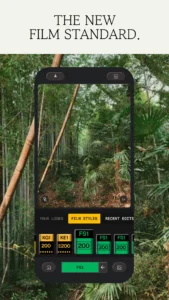
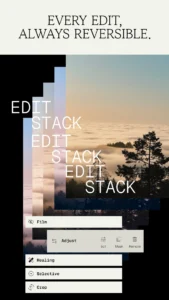
The app excels at non-destructive editing, which means you can experiment with different looks and always revert to your original image if needed. If you are also interested in mobile photography hardware, you might want to try GCam: Google Camera to enhance your capture process before you start editing your shots. Snapseed supports both JPG and RAW file formats, ensuring that you can work with high-quality data to produce professional results on your phone.
Key Features of the Snapseed APK
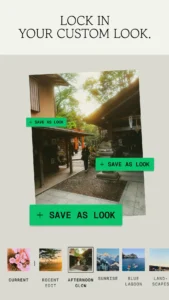
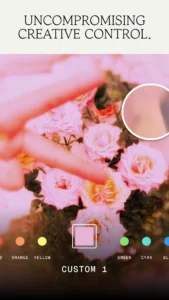
The latest version includes powerful additions like Motion Blur, which allows you to add dynamic trails to your subjects or backgrounds. The new Depth Lens Blur feature helps you soften backgrounds with realistic bokeh for a professional look. You can also take advantage of the Color Grade tool, which provides tonal color wheels to style your photos cinematically. With the ability to import custom presets and 3D LUTs, you can easily build and maintain a consistent style library across all your projects.
Smart Masking is another standout feature, allowing you to isolate subjects or backgrounds with a single tap. This makes targeted edits much faster, as you do not have to manually outline areas of your photo. For those who manage many images at once, the batch editing feature lets you apply your favorite looks to multiple photos simultaneously. If you need to manage your downloaded files or browse the web for more photography resources, Google Chrome: Fast & Secure is a reliable browser for your Android device.
Getting Started and Permissions
Installing the Snapseed APK is simple via the official download. Once installed, the app requests several permissions to function correctly. It needs access to your storage to read and save images, and it requires camera access if you choose to use the built-in camera function. Location permissions are used for metadata handling, while network access allows you to connect with the Discover tab to explore looks from other photographers. The app is designed to be lightweight and efficient, making it a great choice for various Android devices.
Quick Facts
Strengths and Limitations
- Completely free with no ads or in-app purchases.
- Non-destructive editing preserves your original files.
- Supports professional RAW file editing.
- Requires several permissions to access media and location data.
- Some advanced tools require a learning curve for beginners.
Who Should Use This App
Snapseed is ideal for photographers who want desktop-level editing power on their phone. It is perfect if you value control over your color grading, detail, and perspective adjustments. If you prefer simple one-tap filters and do not want to spend time tweaking settings, this app might offer more features than you need.
Is the app free to use?
Yes, all features, tools, and filters are free. There are no subscriptions, ads, or watermarks.
Does it work offline?
Yes, most editing tools work offline. You only need an internet connection to access the Discover tab or download community looks.
Can I edit RAW files?
Yes, the app supports RAW development, allowing you to tweak exposure and color with high precision.
