


Aloha Browser - Private VPN 8.13.0
Google Commerce Ltd
November 20, 2026
307.2 MB
8.13.0
com.aloha.browser
RELATED APPS






SCREENSHOTS

DESCRIPTION
Setting Up Your Aloha Browser – Private VPN APK
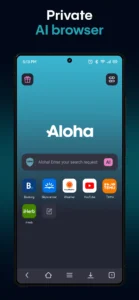
Getting started with the Aloha Browser – Private VPN APK is an easy process for anyone seeking a more secure way to navigate the web. After you install the application, the browser automatically configures its core privacy features, including the built-in ad blocker. You do not need to perform complex manual setups to activate the base security layer. The app requires several permissions to function correctly, such as access to your device storage to save downloaded files, camera access for QR scanning, and location permissions to provide localized search results when necessary. It also requests system-level permissions to manage notifications, handle Wi-Fi states, and run background services for consistent VPN connectivity and media playback.
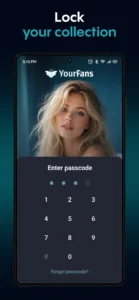
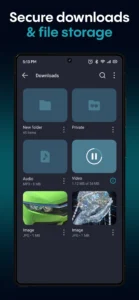
The browser includes a powerful file manager that handles your downloads directly. You can now choose to save files to the Aloha Cloud for easier access across your sessions. If you are looking for tools to manage your digital workspace, you might also find MediaFire helpful for your cloud storage needs. Because the app supports biometric locks, it can secure your private tabs and vault using your fingerprint, ensuring that your browsing history remains accessible only to you. Once installed, the Aloha Browser – Private VPN APK integrates into your device to provide a contained environment for all your sensitive online tasks.
Core Features for Enhanced Privacy
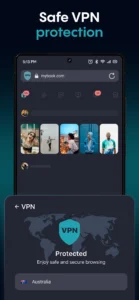
The Aloha Browser – Private VPN APK focuses on combining speed with safety. Its primary feature is the built-in VPN, which allows you to browse anonymously and bypass common geographic restrictions without needing a separate app. The integrated ad blocker is another highlight, which strips away unwanted advertisements to provide a faster loading experience on most websites. The browser also manages your media effectively, featuring a built-in player that supports gesture controls for watching videos or listening to music files you have downloaded. The latest update adds support for subtitles on web videos, allowing you to turn on CC for better accessibility on supported sites.
For users who need to communicate while working on their mobile devices, managing different productivity apps is key. While you manage your internet traffic with this browser, you can also use Google Meet to handle your professional video conferencing needs. The browser ensures your data remains protected through features like the secure vault and Wi-Fi file sharing, which lets you transfer files safely between your devices. These features work together to create a contained, private environment for your daily internet tasks, ensuring that your browsing journey remains fast and private.
Strengths and Limitations
Strengths
- Includes a free, built-in VPN for anonymous browsing.
- Integrated ad blocker increases page loading speeds significantly.
- Supports secure vault and fingerprint locking for private tabs.
- Features a file manager with cloud upload capabilities.
- Built-in media player supports gesture control for videos and music.
Limitations
- The app file size is relatively large at 307.2 MB.
- Requires numerous permissions, including location, camera, and media access.
- Not all websites are compatible with the new web video subtitle feature.
Who Should Use This Browser?
If you prioritize privacy and want to avoid trackers, this browser is a strong choice. It is ideal for users who perform most of their file downloading and media consumption inside a single application. However, if you are looking for a lightweight browser with minimal system impact, the large file size might be a concern. This app serves those who want an all-in-one tool for secure web access, file management, and ad-free viewing.
Frequently Asked Questions
Is Aloha Browser free to use?
Yes, the browser is free to download and use, providing access to its core VPN and privacy features without a mandatory subscription.
Does it work offline?
The browser includes a file manager and media player that allow you to access and play files you have previously downloaded while you are offline.
Which Android version is required?
The developer has not specified a minimum Android version for this application.
