


Google Keep - Notes and lists 5.26.461.01.90
Google Commerce Ltd
November 20, 2026
26.3 MB
5.26.461.01.90
com.google.android.keep
RELATED APPS






SCREENSHOTS

DESCRIPTION
Why should you use the Google Keep – Notes and lists APK?
Are you looking for a reliable way to capture your thoughts, manage to-dos, and stay organized on your phone? Google Keep – Notes and lists is a popular productivity tool created by Google Commerce Ltd that helps you track your daily tasks. Whether you need to jot down a quick note, save a photo, or record a voice memo, this application provides a central place for your information. By downloading the Google Keep – Notes and lists APK, you gain access to a versatile system designed to organize your life. With over one billion installs, it remains one of the most trusted tools for mobile organization.
The app syncs your data across your phone, tablet, and computer, so your information is always available. You can also use it on your Wear OS device to capture thoughts quickly. If you need a more advanced communication tool for your team, you might also consider installing Google Meet to handle your video conferencing needs alongside your notes. The interface is clean, ensuring you spend less time managing the app and more time completing your tasks.
What can you do with this app?
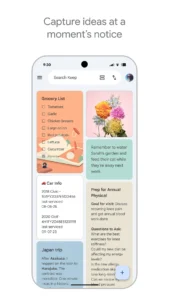
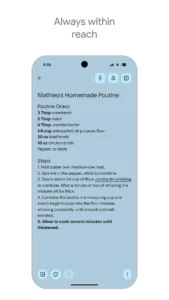
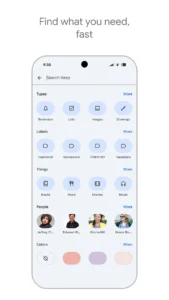
Google Keep – Notes and lists offers several features designed to keep your life organized. You can create checklists for grocery lists or travel plans and share these notes with friends and family to collaborate in real time. The app allows you to color-code your notes and add labels, making it easy to find specific items using the search function. You can even pin your most important notes to your device’s homescreen using widgets for instant access.
You can also set reminders for specific notes so that you receive an alert exactly when you need it. For users who prefer cloud backups for other types of data, MediaFire is another productivity tool that provides file storage solutions. These features combined make the Google Keep – Notes and lists APK a useful utility for capturing inspiration whenever it strikes. The ability to record voice memos that are automatically transcribed is particularly helpful for capturing ideas on the go.
Getting started and permissions
Installing the Google Keep – Notes and lists application is easy for Android users. Once installed, the app requests several permissions to function correctly. It requires access to your network state and internet to sync your notes. It also needs access to your contacts, microphone for voice memos, and storage to save images or audio files. You will also need to grant permissions for notifications so you do not miss your reminders. The app uses your account credentials to ensure that your notes are synced securely to your Google account across all your devices.
Strengths and limitations
Strengths:
- Syncs across multiple devices including Wear OS.
- Color-coding and labeling system for organization.
- Easy collaboration with friends and family.
- Completely free to use.
- Quick capture through widgets and tiles.
Limitations:
- Requires a Google account to sync data.
- Needs various device permissions to enable all features like voice recording and reminders.
- Relies on internet connectivity for cross-device syncing.
Who is this app for?
This app is ideal for anyone who needs a quick, reliable way to take notes and organize daily tasks. It is perfect for students, professionals, and anyone managing a busy household. If you prefer a complex project management suite, this app might feel too basic for your needs. However, for those who value speed and accessibility, it is an excellent choice for daily productivity.
Is the app free to use?
Yes, the app is free to use.
Does it work offline?
Yes, you can create and edit notes offline. Changes will sync once you have an internet connection.
Which Android version is required?
The developer has not specified a minimum Android version, but it is designed for modern Android devices.
