


Open Chat - AI bot app 1.4.0
Google Commerce Ltd
November 20, 2026
42.7 MB
1.4.0
open.chat.gpt.aichat.bot.free.app
RELATED APPS






SCREENSHOTS

DESCRIPTION
Discover the Capabilities of Open Chat – AI bot app APK
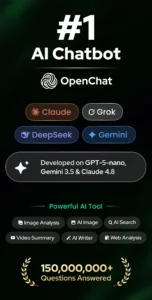
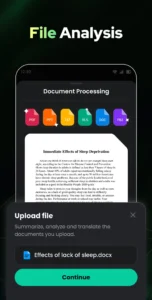
Open Chat – AI bot app is a versatile tool designed to act as your personal assistant for a wide range of tasks. Developed by Google Commerce Ltd, this application utilizes advanced technology to provide human-like text responses to your questions. Whether you need help with creative writing, complex translation, or just a friendly conversation, this app is built to handle your requests. By downloading the Open Chat – AI bot app APK, you gain access to an intelligent assistant that helps you manage daily tasks, study, and creative projects from your mobile device.
This Open Chat – AI bot app allows you to engage in continuous dialogue, meaning the app remembers your history and can pick up where you previously left off. You can use it as a reliable grammar checker to ensure your documents are error-free or ask it to generate essays, lyrics, and stories. The interface is designed to be simple and elegant, featuring a night mode for comfortable reading in low-light conditions. As you interact more with the system, it learns your preferences to provide better responses over time.
If you are looking for other productivity tools to manage your digital tasks, you might also find the Google Meet application useful for your professional communication needs. For users who need to organize their digital files, MediaFire serves as a reliable cloud storage solution for your Android device.
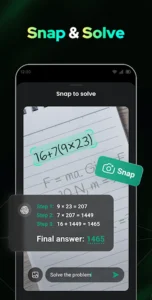
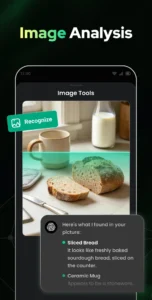
To get started, simply download and install the Open Chat – AI bot app. The app requires several permissions to function, such as access to the camera, internet, and external storage for saving data. It also uses vibration and foreground services to deliver timely notifications. Please note that the app is free to use but contains advertisements to support its development. You can manage your conversation history directly within the app, allowing you to review past information or delete specific chats when they are no longer needed.
Key Features for Daily Productivity
The core strength of this application lies in its ability to adapt to various user needs. You can ask it to create travel plans, tell jokes, or engage in role-play scenarios. Since it supports all languages, it is a practical choice for those looking to practice a new language or translate text on the go. Whether you need a quick fact or a long-form essay, this tool provides responses that feel natural and human-like.
- Continuous Dialogue: The AI remembers your chat history, allowing for natural follow-up questions.
- Grammar and Proofreading: It acts as a professional editor to fix spelling and punctuation errors.
- Multilingual Support: Communicate in any language for translation or learning purposes.
- Customizable Interface: Use the built-in night mode for a better visual experience.
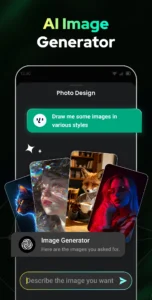
- Creative Writing Assistant: Generate stories, lyrics, social media posts, and academic work with ease.
Strengths and Limitations
Strengths:
- Responsive and intelligent text generation for diverse tasks.
- Easy access to chat history for reviewing past conversations.
- Supports multiple languages and creative writing assistance.
- Simple user interface with a dedicated night mode.
Limitations:
- The app displays advertisements during use.
- Requires various permissions, including camera and storage access.
- Information provided is for informational purposes only and should not be considered authoritative.
Is the Open Chat – AI bot app free?
Yes, the app is free to download and use, though it includes advertisements.
Can I use this app offline?
No, the app requires an active internet connection to access its AI models and generate responses.
Does it save my conversation history?
Yes, the app automatically saves your chat history, which you can review or delete at any time.
Which Android version is required?
The developer has not specified a minimum Android version for this application.
