

As Dusk Falls Companion App 0.1.230445
Microsoft Corporation
November 22, 2026
95.5 MB
0.1.230445
Android 5.1
com.InteriorNight.WildcatClientAndroid
RELATED APPS





SCREENSHOTS
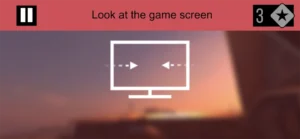
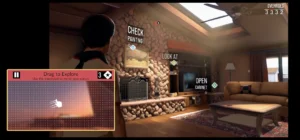
DESCRIPTION
How to Get Started with the As Dusk Falls Companion App
The As Dusk Falls Companion App serves as your primary controller for the interactive drama experience developed by Microsoft Corporation. To begin, ensure you own the main game, which is sold separately. Once the game is running on your primary device, install this application on your phone or tablet. Both your mobile device and your gaming system must be connected to the same local Wi-Fi network for the connection to work. Within the game, navigate to the input settings and select the phone icon to sync your device.
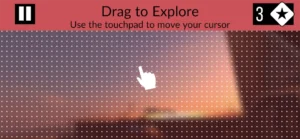
This app allows you to participate in As Dusk Falls by acting as a voting tool. When you play with friends, you can use your screen to cast votes on critical story decisions or work together to complete quick-time events. It supports up to eight players simultaneously, making it easy to share this crime drama with others who may not be experienced gamers. If you enjoy interactive storytelling, you might also want to explore Wobbly Life for different types of gameplay adventures.
The application requires several permissions to function correctly during your sessions. It uses your network state and Wi-Fi multicast to communicate with the game console. The camera and storage permissions are associated with standard device interaction, while the wake lock ensures your connection remains stable during long gaming segments. For those who prefer different interactive experiences, checking out Roblox can provide a wide variety of community-driven content.
Key Features for Multiplayer Interaction
- Simple Input Controls: Use your mobile screen to vote on narrative choices that impact the characters’ lives over a thirty-year story arc.
- Multiplayer Support: The system allows up to eight people to play together, with one person hosting and others joining via their own mobile devices.
- Quick-Time Events: Manage fast-paced action sequences directly from your phone to influence the outcome of the drama.
- Choice Overrides: If you are playing in a group, the app provides functionality to manage and override specific decisions during the story.
As Dusk Falls is an original interactive drama that explores the lives of two families starting with a 1998 robbery. By using the companion app, you can replay the story multiple times to see how your decisions change the fate of the characters. The experience focuses on betrayal, resilience, and sacrifice, offering a deep narrative that changes based on your group’s collective input.
Strengths and Limitations
Strengths:
- Enables easy local co-op for up to eight players.
- Requires no traditional gaming controller skills.
- Allows group participation in complex narrative choices.
Limitations:
- Requires a stable local Wi-Fi connection to function.
- The main game must be purchased separately.
- Requires multiple system permissions to maintain connection and input.
Frequently Asked Questions
Is the As Dusk Falls Companion App free?
Yes, the application is free to download and install. However, the main game is sold separately.
Does this app work offline?
No, the app requires a shared local Wi-Fi network to connect your phone to the game console.
Which Android version is required?
The app requires a device running Android 5.1 or higher.
